Table of Contents
Why CRM Implementations Fail (and How to Avoid It)
Why CRM implementations fail is rarely about the software: most fail because the team does not use the system, the data inside it is unreliable, it is customised beyond what anyone can maintain, or nobody owns it after launch. The technology usually works. What breaks is adoption, data discipline and ownership.
The good news is that each cause has a visible early warning sign and a simple fix. Below we look at what the often-quoted failure statistics actually measure, the five root causes we see in small and mid-sized businesses, and a prevention checklist you can use before go-live.
Table of Contents
Why CRM Implementations Fail: What the Numbers Really Say
You will see claims that 50–70% of CRM projects fail. Be careful with them. The best-known figure comes from a late-2001 Gartner study of more than 500 large clients, which found about 55% of projects “failed to meet expectations”. In a 2004 interview with CustomerThink, Gartner analyst Ed Thompson explained that the press dropped the words “meet expectations”, and estimated that only around 5% of projects were absolute failures, and that 65–70% achieved success of some sort.
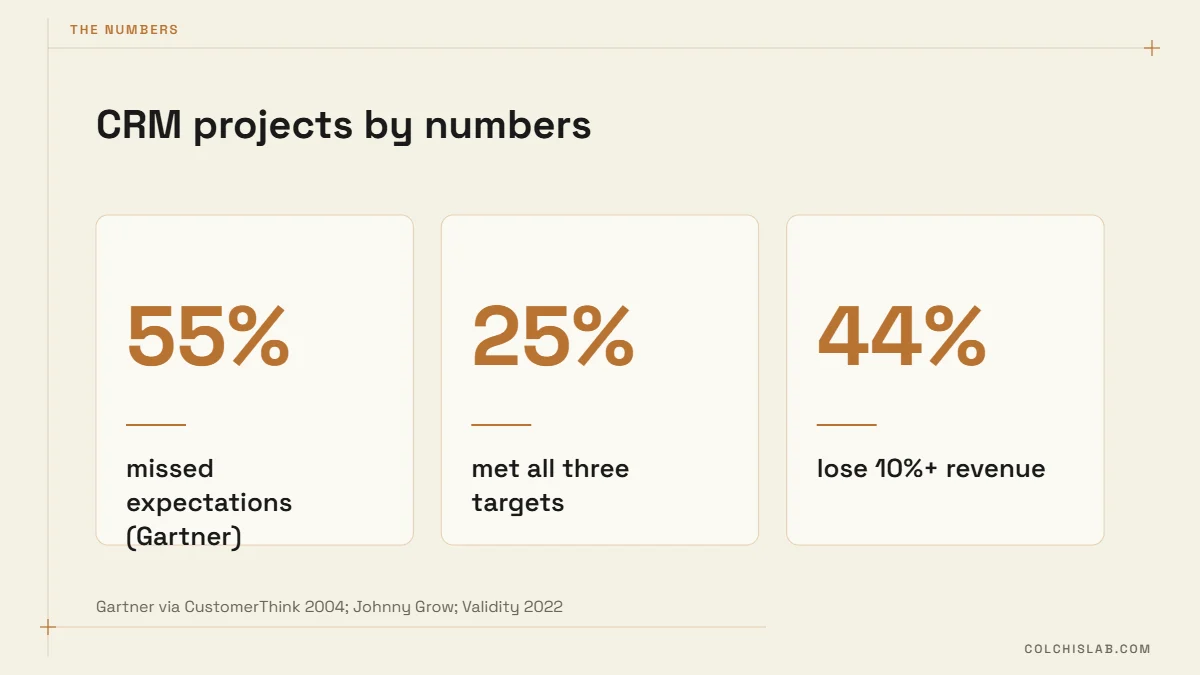
More recent vendor research points the same way. Consultancy Johnny Grow reports a 55% failure rate, defined as not achieving planned objectives, and says only 25% of implementations met their objectives, timeline and budget together. And in Validity’s State of CRM Data Health 2022 survey of 1,241 CRM administrators, 44% estimated their company loses more than 10% of annual revenue because of poor CRM data.
So the honest summary is: few CRM projects collapse, but many under-deliver. That is a more useful framing, because under-delivery can be prevented. It also changes the question. Instead of asking whether your project will fail, ask which of the usual reasons applies to your team, and deal with it before launch.
A quick calculation shows why this matters for a small business. Say you spend $40 per user per month on a CRM for eight people, plus a $6,000 setup. That is about $9,800 in year one. If the system is used half-heartedly, you still pay all of it, but you get a contact list instead of a sales process. The rest of this article looks at why CRM implementations fail in exactly this quiet way, and what to do about each cause.
Cause 1: The Team Doesn’t Use It
Ask any consultant why CRM implementations fail and adoption comes first; it is also the number one reason in our own projects. Salespeople keep notes in their phones, managers ask for updates on WhatsApp, and the CRM becomes a database someone updates on Friday afternoon. Once the data is incomplete, nobody trusts the reports, and usage drops further.
- Make the CRM save time on day one. Auto-create leads from your website forms and messengers instead of asking people to type them in — see how to connect a website form to a CRM.
- Kill the parallel system. If the weekly meeting still runs from a spreadsheet, the CRM has already lost. Run the meeting from the pipeline view.
- Keep required fields minimal. Five mandatory fields get filled; twenty get filled with dots.
- Train by role, in 30-minute sessions using the team’s real deals, not a generic demo.
Cause 2: Bad Data In, Bad Decisions Out
Migrating ten years of messy contacts into a new CRM gives you a new system with old problems: duplicates, dead phone numbers, missing sources. Data quality is the second big reason why CRM implementations fail. Validity’s respondents also admitted the data is often worse than they think — 76% rated their data quality “good” or “very good”, yet 95% said quality issues seriously impair their ability to use the CRM.
- Deduplicate and archive inactive contacts before import; migrate only what someone will work.
- Define standard fields (source, stage, owner, next step) and dropdowns instead of free text.
- Assign one person to a monthly data clean-up of 30 minutes.
- Automate enrichment where possible, for example capturing the lead source automatically.
Cause 3: Over-Customisation
Every exception a manager mentions becomes a custom field, a new pipeline or a bespoke automation. This is a typical reason why CRM implementations fail in growing companies. Six months later the CRM has 14 pipelines, 200 fields and three integrations nobody understands. Updates break things, and only the original consultant can make changes.
Our rule: launch with the vendor’s standard objects and one pipeline per sales process, then customise only what the team requests after four weeks of real use. If your process is truly unusual, decide deliberately between configuring and building — our comparison of custom CRM vs off-the-shelf helps with that choice, and HubSpot vs Zoho vs Pipedrive compares the main ready-made options.
Cause 4: No Owner, No Goal
A CRM bought “to get organised” has no finish line. Without a measurable goal — say, respond to every lead within one hour, or raise quote-to-win from 20% to 25% — nobody can tell whether the project worked. Without a named owner, small issues pile up until people quietly go back to spreadsheets. This is the least visible reason why CRM implementations fail, because nothing breaks; it just fades.
- Write one or two business goals before choosing software, with a baseline number.
- Name an internal owner with a few hours per week, not just the agency or the IT person.
- Give leadership a dashboard they actually open — and have them stop asking for reports by email.
Cause 5: Process Not Mapped Before Software
Many teams configure the CRM before agreeing how they actually sell. A missing process map is the most technical-sounding answer to why CRM implementations fail, but it is really a management problem. Stages end up named after software defaults, and each person interprets “qualified” differently. Map the process on one page first: where leads come from, what makes a lead qualified, which steps happen before a quote, and what “won” means. Then translate it into stages. Our 30-day CRM implementation plan walks through this, and automating sales pipelines shows which steps to automate once stages are stable.
Warning Signs: Why CRM Implementations Fail Slowly
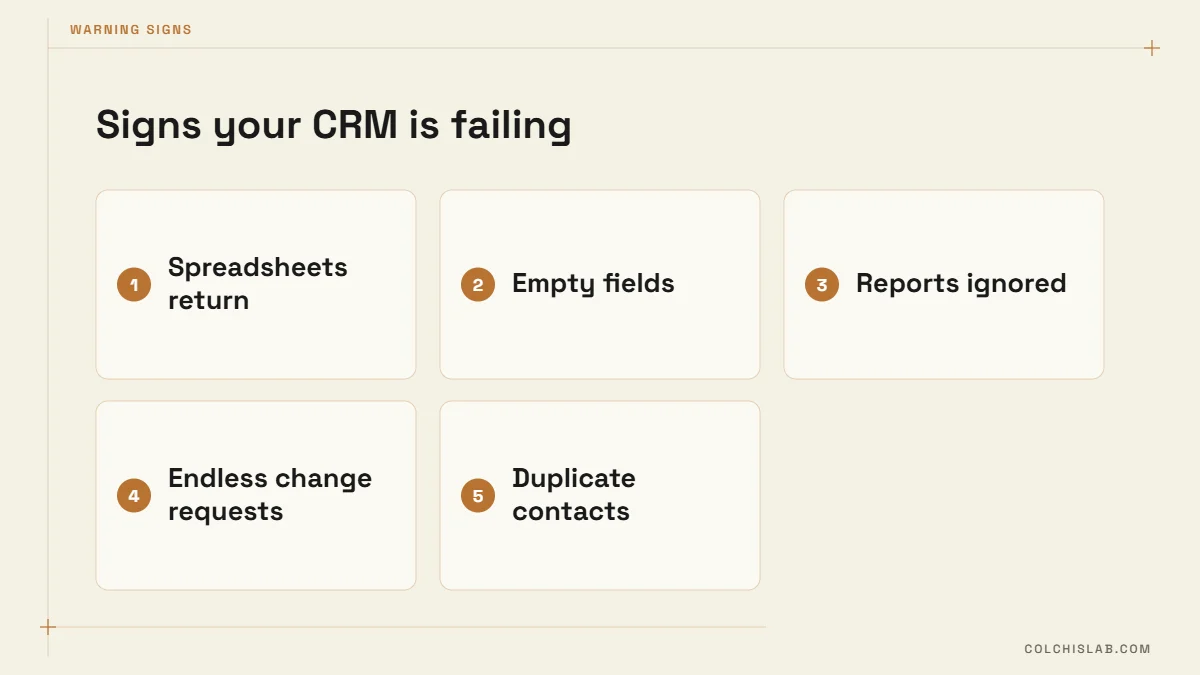
| Warning sign | Likely cause | Fix this week |
|---|---|---|
| Spreadsheets reappear in meetings | Adoption | Run the meeting from the CRM pipeline |
| Many deals with no next step | Adoption / process | Make “next step date” required |
| Duplicate contacts and empty fields | Data | Deduplicate, reduce required fields |
| Every change needs the consultant | Over-customisation | Remove unused fields and automations |
| Nobody can say if the CRM is working | No owner or goal | Set one KPI and a monthly review |
If two or more of these appear in the first three months, pause new features and fix the basics. Understanding why CRM implementations fail is only useful if you act on the first signals.
A Prevention Checklist Before Go-Live
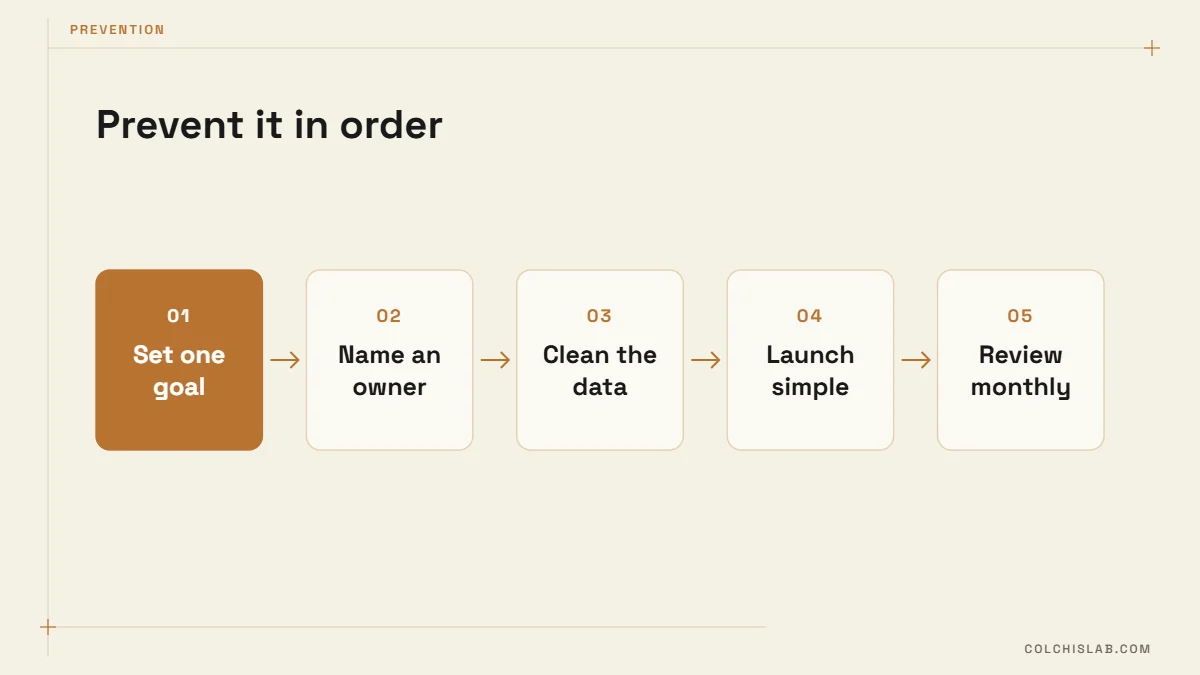
- One written goal with a baseline number and a target date.
- A named owner and a monthly 30-minute review on the calendar.
- A one-page sales process map agreed by the team.
- Clean, deduplicated data — only contacts someone will work.
- Lead capture automated from website, phone and messengers.
- Standard setup first; customisation backlog reviewed after four weeks.
- Role-based training with real deals, plus a short written guide.
- Old spreadsheets archived read-only on launch day.
Most of these steps cost nothing but attention, which is exactly why they get skipped. Teams that know why CRM implementations fail still skip them, because the pressure to “just launch” is strong. Block two hours for the checklist; it is cheaper than a relaunch. If you are just starting, read what a CRM is first.
Our CRM integration service covers the parts that usually go wrong: process mapping, data migration, lead capture and a setup simple enough to keep using. Send us your project with your team size and current tools, and we will tell you honestly which risks apply to you.
What percentage of CRM implementations fail?
Quoted figures range from about 30% to 70%. The best-known Gartner figure, 55%, measured projects that failed to meet expectations, not total failures; Gartner later estimated only about 5% fail outright.
What is the main reason CRM projects fail?
Low user adoption is the most common reason. When people keep working in spreadsheets and messengers, data becomes incomplete and reports lose credibility, which reduces usage further.
How do you increase CRM adoption?
Make the CRM save time from day one by capturing leads automatically, keep required fields minimal, run team meetings from the pipeline and train each role with real deals.
How long should a CRM implementation take for a small business?
A focused setup for a small team can go live in about four weeks. Bigger data migrations and integrations take longer, but launching simple and improving monthly is safer than a long build.
Is it better to customise a CRM or use it out of the box?
Start with the standard setup and one pipeline, then customise only what the team asks for after real use. Heavy customisation before launch is a common reason why CRM implementations fail.
How can you tell a CRM implementation is failing?
Typical signs are spreadsheets returning to meetings, deals with no next step, duplicate contacts and nobody being able to say whether the CRM improved results.