Table of Contents
HubSpot vs Zoho vs Pipedrive: Best CRM for Small Teams in 2026
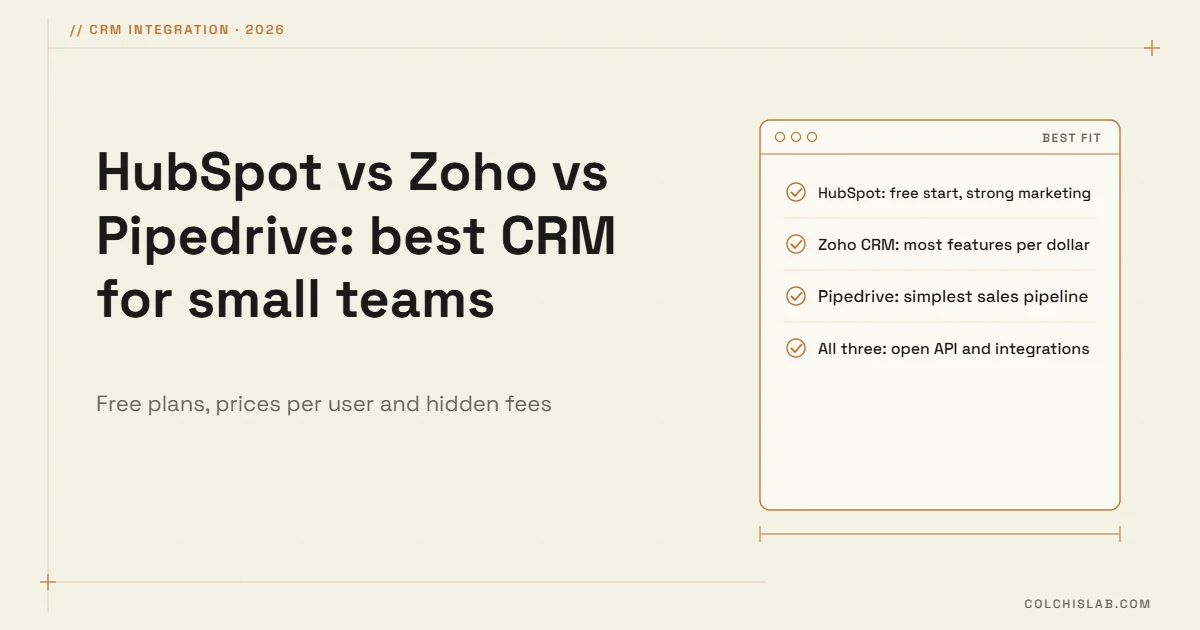
HubSpot vs Zoho vs Pipedrive is the shortlist most small teams end up with, and all three are good. The short version: HubSpot is the easiest free start and the strongest for marketing, Zoho CRM gives the most features for the money, and Pipedrive is the simplest tool for salespeople who live in a deal pipeline. The right one depends on where your leads come from, how your team sells and how fast you will grow.
Below we compare them on price, free plans, hidden fees, strengths and weaknesses, then give simple rules for choosing. If you are still deciding whether you need a CRM at all, start with what a CRM is and when a business needs one.
Table of Contents
HubSpot vs Zoho vs Pipedrive: prices in 2026
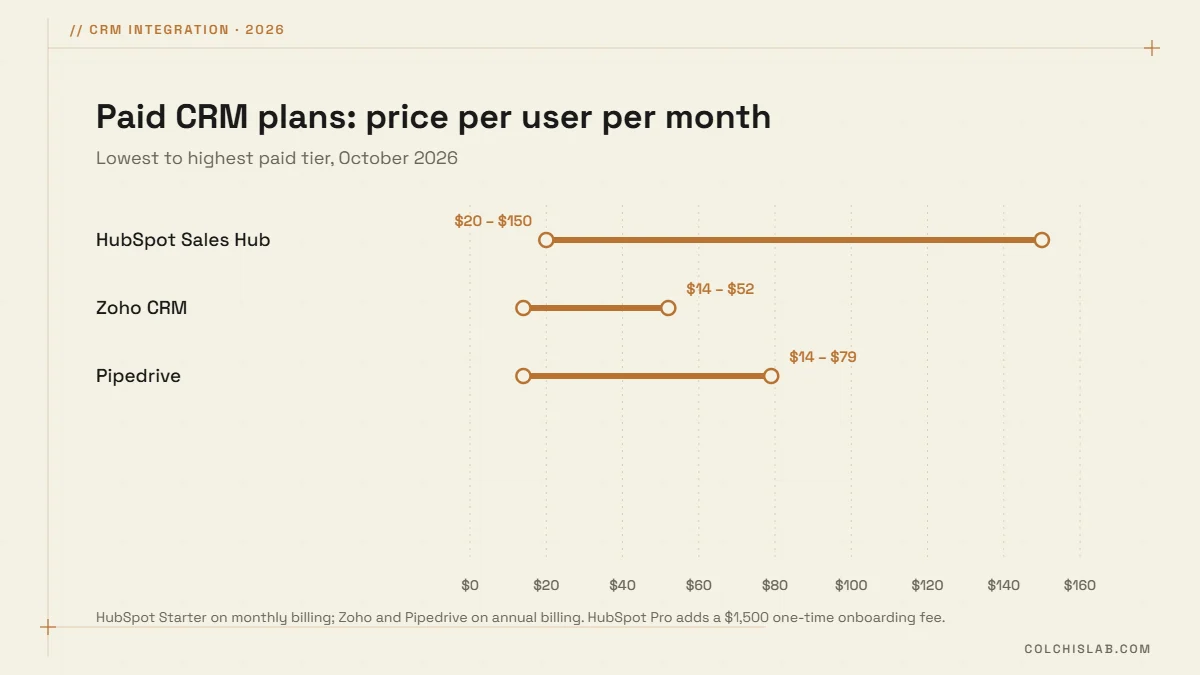
Prices per user change with the billing period, so compare like with like. Here are the official list prices for October 2026:
| Plan level | HubSpot Sales Hub | Zoho CRM | Pipedrive |
|---|---|---|---|
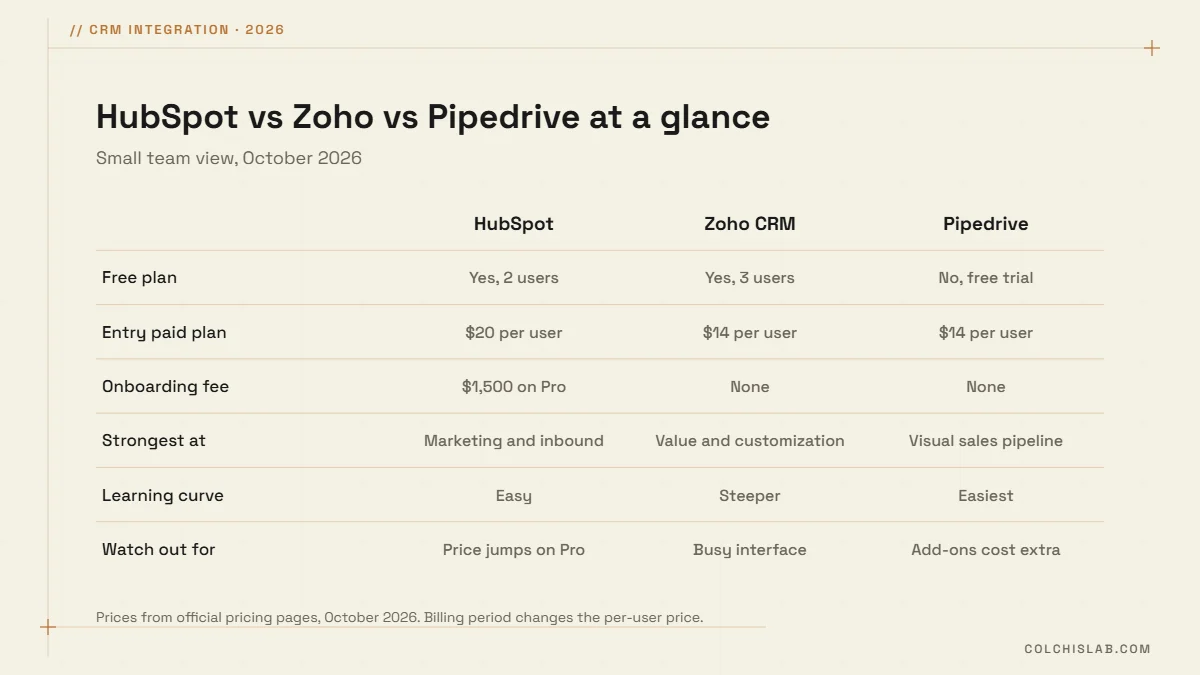
| Free | Yes, up to 2 users | Yes, up to 3 users | No (14-day trial) |
| Entry | Starter $20 (monthly) | Standard $14 / $20 | Lite $14 / $24 |
| Middle | Professional $90 / $100 | Professional $23 / $35 | Growth $39 / $49 |
| Upper | Enterprise $150 | Enterprise $40 / $50 | Premium $59 / $79 |
| Top | — | Ultimate $52 | Ultimate $79 / $99 |
| One-time onboarding | $1,500 Pro, $3,500 Enterprise | None | None |
Check the details on each page: HubSpot, Zoho CRM and Pipedrive. The number that surprises most teams is HubSpot’s mandatory onboarding fee on Professional and Enterprise, and the jump from Starter to Professional. Marketing Hub Professional, for example, starts at $800 a month with a $3,000 onboarding fee.
HubSpot: the easiest start, strongest for marketing
- Best for: teams whose leads come from the website, content, ads and email.
- Strengths: a genuinely useful free CRM, clean interface, forms, email and marketing tools in one platform, a huge app marketplace.
- Weaknesses: costs climb steeply once you need Professional features such as automation sequences and custom reporting, plus onboarding fees.
Zoho CRM: the most features for the money
- Best for: budget-conscious teams that need custom fields, workflows and modules, or want CRM, accounting and help desk in one suite through Zoho One.
- Strengths: lowest price per feature, a free plan for 3 users, deep customization and an EU data center option.
- Weaknesses: the interface is busier and setup takes longer. It rewards a proper setup at the start.
Pipedrive: the simplest sales pipeline
- Best for: small sales teams that close deals through calls, meetings and follow-ups.
- Strengths: the most intuitive visual pipeline, quick to adopt, good mobile app, activity reminders that keep deals moving.
- Weaknesses: no free plan, marketing tools are add-ons, and useful extras such as LeadBooster cost more.
How to choose: HubSpot vs Zoho vs Pipedrive
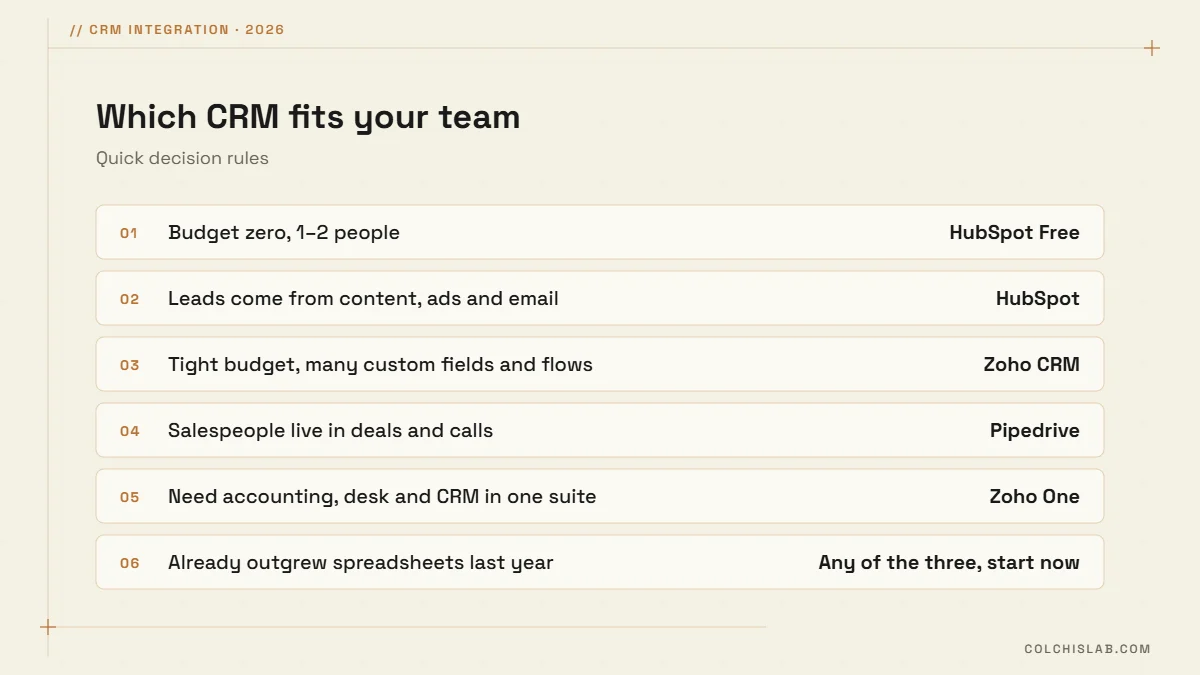
Two questions decide most cases. First, where do your leads come from? Inbound marketing points to HubSpot, outbound and personal selling to Pipedrive. Second, how much do you need to customise? Unusual processes and tight budgets point to Zoho. For GDPR-sensitive data, also check where data is hosted: HubSpot free accounts are hosted in the US by default, while Zoho and Pipedrive offer EU data centers.
The CRM matters less than the integration
In our projects, the CRM brand rarely decides success. What does is whether leads arrive automatically from the website, WhatsApp and Telegram, whether duplicates are merged, and whether the team gets an alert within minutes. All three platforms have solid APIs, so any of them can be the centre of your system.
Whichever you pick in the HubSpot vs Zoho vs Pipedrive decision, start with the free plan or trial, move one real pipeline in, and connect your lead sources before you pay for higher tiers. Our CRM integration service sets this up end to end. Tell us how your team sells today and we will recommend the CRM and plan that fit.
Which is better for a small business: HubSpot, Zoho or Pipedrive?
HubSpot suits teams driven by inbound marketing, Zoho CRM suits tight budgets and custom processes, and Pipedrive suits salespeople who work a deal pipeline. All three are solid choices for small teams.
Is HubSpot CRM really free?
Yes. HubSpot’s free CRM covers contacts, deals, forms and email tools for a small team. Paid tiers add automation and reporting, and Professional plans add a one-time onboarding fee.
Does Pipedrive have a free plan?
No. Pipedrive offers a 14-day free trial, then paid plans start at $14 per user per month on annual billing.
Is Zoho CRM cheaper than HubSpot?
Usually yes. Zoho CRM paid plans range from $14 to $52 per user per month on annual billing, with no onboarding fee, while HubSpot Professional costs far more per user.
Can I connect my website forms to these CRMs?
Yes. HubSpot, Zoho CRM and Pipedrive all have web forms and APIs, so leads from your website, WhatsApp or Telegram can flow in automatically.
Can I switch CRM later?
Yes. All three let you export contacts and deals to CSV and import from other CRMs. Plan the field mapping and test with a sample first.