Table of Contents
Custom CRM vs Off-the-Shelf: How to Decide
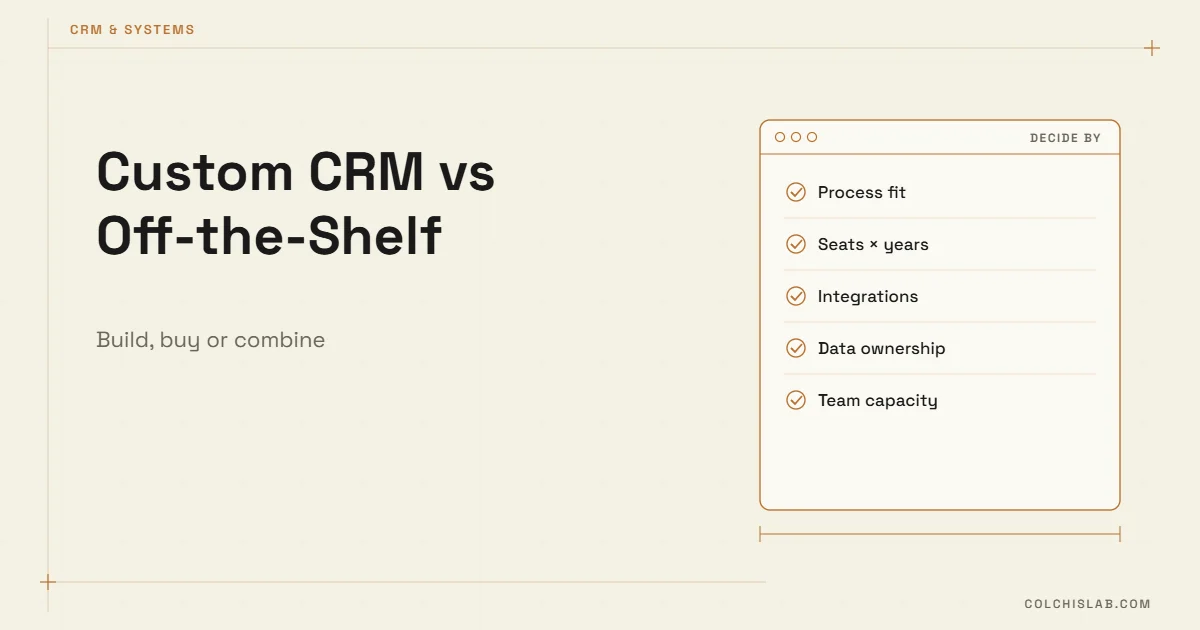
In the custom CRM vs off-the-shelf decision, most small teams should start with an off-the-shelf CRM such as Pipedrive, Zoho or HubSpot, and build custom only when the process itself is the product – when your workflow is unusual, the per-seat bill keeps growing, or the data you need lives in systems a standard CRM cannot reach. Between the two sits a third option many teams overlook: a standard CRM plus custom integrations.
This guide gives you five questions to answer before you decide, real 2026 prices, a three-year cost example and the warning signs that you have outgrown software built for everyone.
Table of Contents
What Off-the-Shelf Gets You on Day One
On the off-the-shelf side of custom CRM vs off-the-shelf, a good SaaS CRM is ten years of other people’s mistakes, already fixed. You get pipelines, email sync, mobile apps, permissions, reporting and security updates for a monthly fee, and you can start this week. List prices in October 2026, billed annually:
| CRM | Entry plan | Mid plan | Notes |
|---|---|---|---|
| Zoho CRM | $14 Standard | $23 Professional | Free plan for up to 3 users |
| Pipedrive | $14 Lite | $39 Growth | No free plan; add-ons extra |
| HubSpot Sales Hub | $9 Starter | $90 Professional | Professional has a $1,500 one-time onboarding fee |
Sources: HubSpot Sales Hub pricing, Pipedrive and Zoho pricing pages. If you are still choosing between these three, our HubSpot vs Zoho vs Pipedrive comparison goes deeper.
The Five Questions That Decide It
1. Is your process standard or is it your advantage?
Lead → call → proposal → deal is standard; any SaaS CRM handles it. A renovation company that calculates quotes from room measurements, or a clinic group that routes patients by insurance and branch, has logic no generic pipeline models well. If the way you work is what customers pay you for, forcing it into someone else’s fields costs more than it saves.
2. How many seats, for how long?
SaaS pricing scales with people. Ten users on a mid-tier plan is affordable; fifty users over five years is a different conversation. Custom software has a high entry cost but no per-seat meter.
3. What must it connect to?
Website forms, a booking system, an accounting tool, a warehouse, a bank. If the connections exist as ready integrations, buy. If each one would be a custom bridge anyway, you are already doing half of a custom build.
4. Who owns the data and the logic?
With SaaS you rent both. Exports exist, but automations, custom fields and history rarely move cleanly to another vendor. With a custom CRM you own the database and the code – and also the responsibility for backups, security and updates.
5. Who will maintain it?
A custom system without someone responsible for it decays. Before choosing custom, name the developer or partner who will fix things in year two.
Custom CRM vs Off-the-Shelf: A Three-Year Cost Example
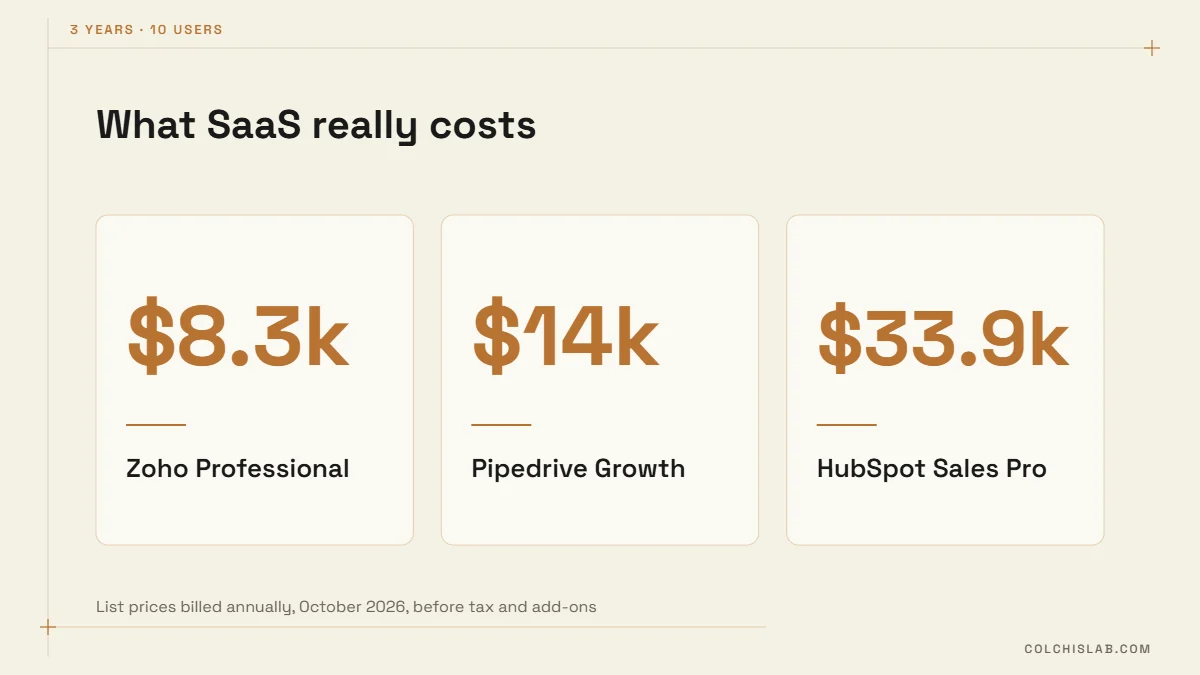
Take a team of 10 users. Using the list prices above and three years of annual billing:
- Zoho CRM Professional: $23 × 10 × 36 months = $8,280.
- Pipedrive Growth: $39 × 10 × 36 = $14,040.
- HubSpot Sales Hub Professional: $90 × 10 × 36 + $1,500 onboarding = $33,900.
Now an illustrative custom build. Assume $20,000 to build, 20% of that per year for maintenance and about $50 a month for hosting: $20,000 + $12,000 + $1,800 ≈ $33,800 over three years. These are assumptions, not a quote – real builds range widely with scope.
The point is not which number is lower. It is the shape of the curve: SaaS cost grows with every hire and every add-on, while custom cost is front-loaded and roughly flat afterwards. At 10 users the custom CRM vs off-the-shelf maths rarely favours custom; at 40 users on a premium tier, it often does. Add the cost you never see on an invoice – the hours your team spends on workarounds – and run the numbers for your own headcount.
Warning Signs You Have Outgrown Off-the-Shelf
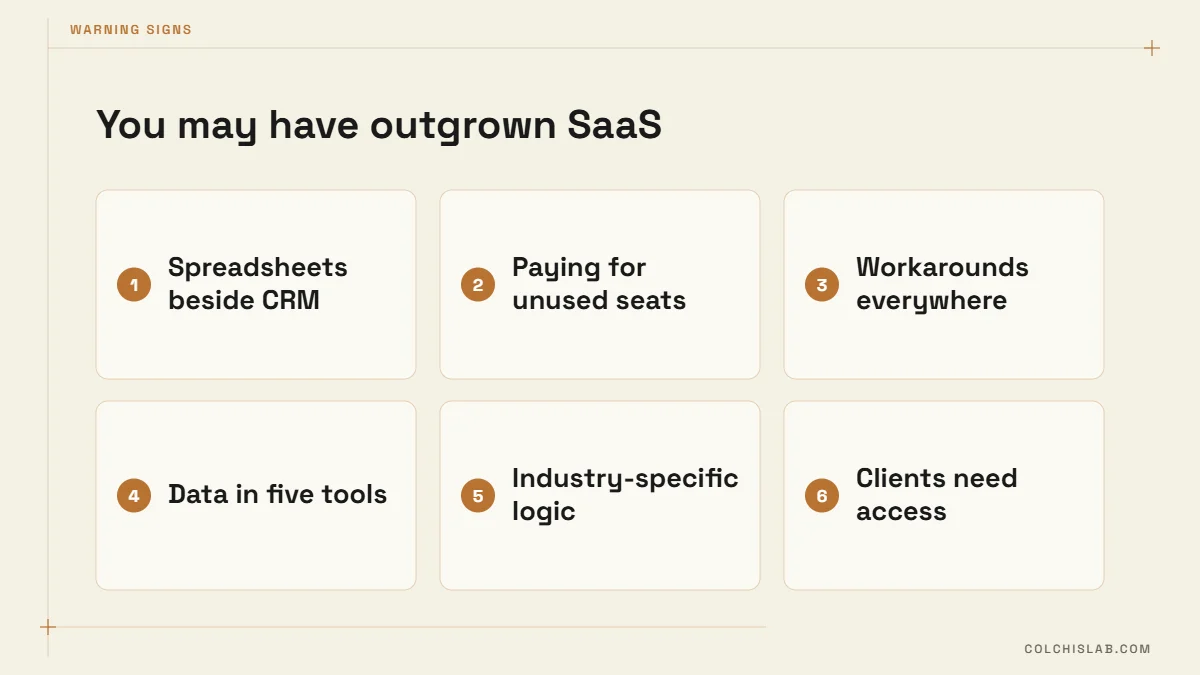
- Your team keeps a spreadsheet next to the CRM because the CRM can’t hold the information they need.
- You pay for seats that people open once a month just to see one report.
- Every new process needs a workaround: fake deal stages, tags used as statuses, notes used as fields.
- Customer data lives in five tools and nobody trusts any of them.
- Your industry has rules (quotes, approvals, compliance) the CRM can’t enforce.
- Clients or partners need their own portal into the same data.
Two or three of these usually mean it is time to revisit the custom CRM vs off-the-shelf question and rethink the setup – not necessarily to throw the CRM away.
The Hybrid Route Most Teams Should Try First
The custom CRM vs off-the-shelf question is rarely all-or-nothing. In practice, the best value often comes from keeping a standard CRM for what it does well and building custom pieces around it:
- Custom intake – calculators, quote builders and booking bots that push clean data into the CRM. See how to connect a website form to a CRM.
- Custom sync – a small service that keeps the CRM, accounting and operations tools in step, as described in our article on custom system architecture.
- Custom views – a client portal or management dashboard that reads from the CRM rather than replacing it.
This keeps vendor updates, mobile apps and security on someone else’s roadmap, while the parts that make you different stay yours.
When Custom Is the Right Call
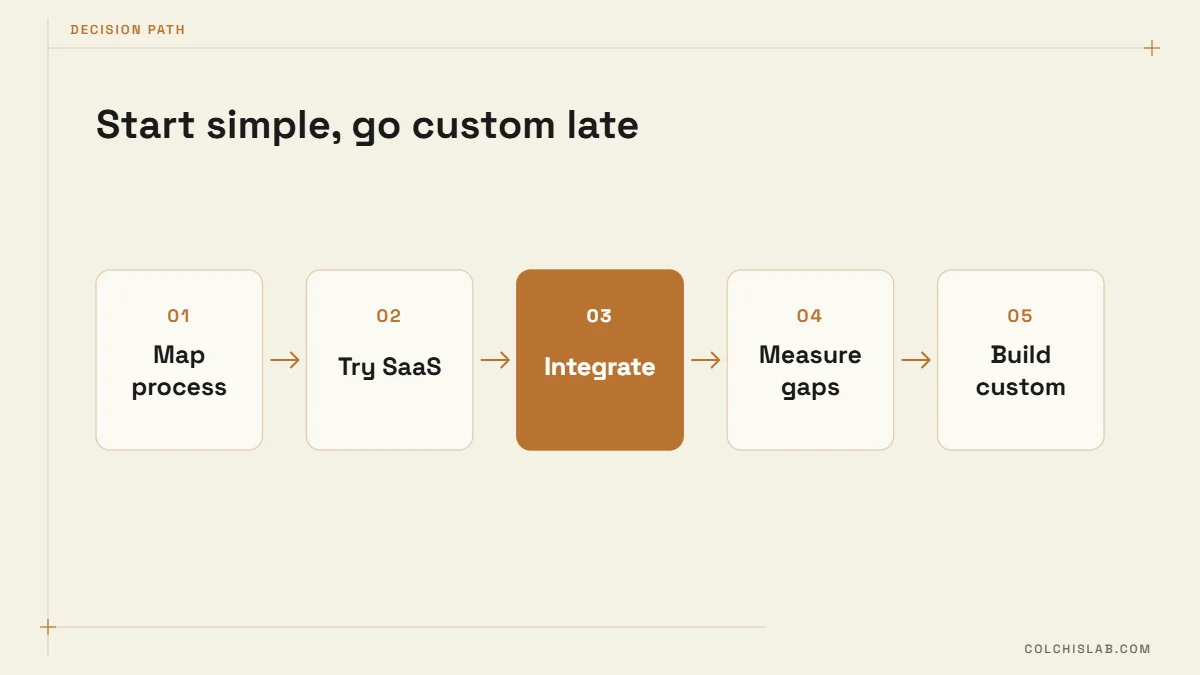
In the custom CRM vs off-the-shelf choice, pick custom when at least three of these are true: the workflow is your competitive advantage; you expect many users over many years; key integrations would be custom anyway; you need full control of the data; and you have a partner committed to maintaining it. Even then, map the process on paper first, and consider running it in a SaaS CRM for a month – the gaps you discover become the specification. Our 30-day CRM implementation plan works for both routes.
Many teams pair a ready CRM with a few automation bots for small business: a WhatsApp or website bot that captures leads, creates deals and updates statuses without anyone copying data by hand.
If you are weighing custom CRM vs off-the-shelf for your business and want a second opinion on costs and fit, send us your project. We will tell you honestly when an existing tool is enough – and when it is not, explore our CRM integration service.
Is a custom CRM cheaper than an off-the-shelf CRM?
Not at the start. A custom CRM costs more upfront, while SaaS CRMs charge per user every month. Over several years and many users, a custom build can become cheaper; for small teams it usually is not.
How much do popular CRMs cost in 2026?
Billed annually, Zoho CRM Professional is about $23 per user per month, Pipedrive Growth $39 and HubSpot Sales Hub Professional $90 plus a $1,500 onboarding fee, according to vendor pricing in October 2026.
What are signs we need a custom CRM?
Parallel spreadsheets, paid seats nobody uses, workarounds like fake deal stages, data spread across many tools, industry rules the CRM cannot enforce, and clients needing their own portal.
Can we combine a standard CRM with custom tools?
Yes, and it is often the best value. Keep a standard CRM as the core and build custom intake forms, calculators, sync services or portals around it.
Who owns the data in a custom CRM?
You do – the database and the code. That also means you are responsible for hosting, backups, security and updates, usually through a development partner.
How long does it take to build a custom CRM?
A focused first version for one team often takes a few months. Broad systems with many integrations take longer, so start with the process that hurts most.