Table of Contents
n8n vs Make vs Zapier vs Custom Code: Which Automation Fits?
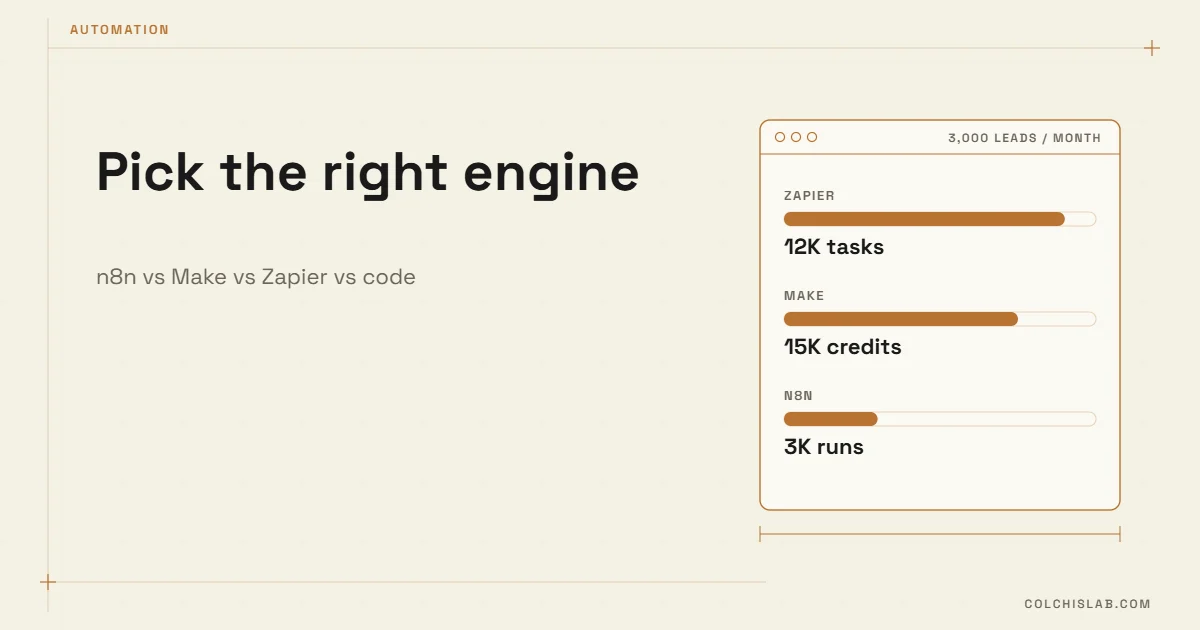
In the n8n vs Make vs Zapier question, the short answer is: Zapier is the fastest to set up and has the most app connectors, Make is the cheapest for visual multi-step scenarios, and n8n wins at high volume or when data must stay on your own server. Custom code beats all three only when the workflow is core to your business and runs constantly.
The real difference is how each tool counts usage. The same workflow can be cheap on one platform and ten times more expensive on another. Below we price one realistic workflow four ways, then look at hosting, limits and maintenance.
Table of Contents
How Each Platform Bills in 2026
Before you compare plans, compare units. This is where most n8n vs Make vs Zapier comparisons go wrong:
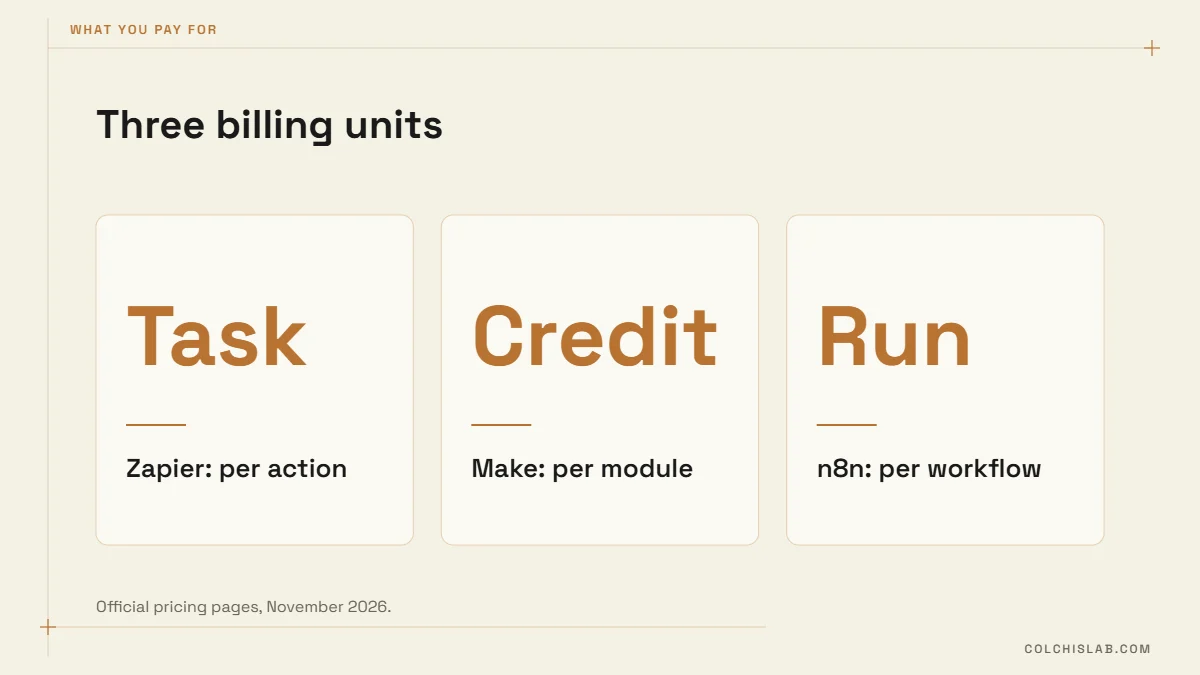
- Zapier counts tasks. Every successful action step is one task; the trigger, filters, formatters, paths and delays are free. The Zapier pricing page lists a free plan with 100 tasks a month (two-step Zaps, 15-minute polling), Professional from $19.99 a month billed yearly with 2-minute polling, and Team from $69 a month.
- Make counts credits. Since August 2025 credits replaced operations: most module runs cost one credit, routers and error handlers cost nothing, and some AI features cost more. The free plan has 1,000 credits a month; paid plans (Core, Pro, Teams) start at roughly $9–11 a month for 10,000 credits — check the current Make pricing for your volume.
- n8n counts executions. One run of a whole workflow is one execution, however many steps it has. n8n Cloud Starter is €20 a month (billed yearly) for 2,500 executions and Pro is €50 for 10,000. The Community Edition is free to self-host; you pay only for the server.
- Custom code counts nothing. You pay for hosting (often $5–40 a month) and, more importantly, for development and maintenance time.
One practical trap: a schedule trigger that checks something every five minutes runs about 8,640 times a month. On n8n that is 8,640 executions even when nothing happens; on Zapier the polling itself is free but each action is a task; on Make every scheduled run uses at least one credit.
The Same Workflow, Priced Four Ways
Take a common small-business workflow: a lead fills in a website form, the lead is created in the CRM, a manager gets a Telegram alert, the lead is added to a Google Sheet report and a welcome email goes out. That is one trigger and four actions. (We explain the setup in our guide to connecting a website form to your CRM.) At 3,000 leads a month:
| Zapier | Make | n8n Cloud | Custom code | |
|---|---|---|---|---|
| Usage unit | 4 tasks per lead | ~5 credits per lead | 1 execution per lead | – |
| Monthly usage | 12,000 tasks | ~15,000 credits | 3,000 executions | – |
| Plan needed | Professional, 10K+ task tier | Core/Pro with ~15–20K credits | Pro (10,000 runs) | Small VPS |
| Typical monthly cost | Highest of the four | Low | €50 (or server cost if self-hosted) | $5–20 + upkeep |
| Setup time | 1–2 hours | 2–4 hours | 3–6 hours | 2–5 days |
At 300 leads a month the picture flips: all three platforms cost little or nothing, and paying a developer to write code would be the most expensive option by far. That is the key lesson of n8n vs Make vs Zapier pricing — volume and step count decide the winner, not the headline plan price.
Where costs jump
Every n8n vs Make vs Zapier estimate should include these multipliers:
- Zapier: multi-step Zaps with loops or many actions multiply tasks fast; overage is billed per task at a higher rate.
- Make: iterators over long lists (e.g. 200 order lines) use a credit per item per module.
- n8n: frequent schedules and webhook-heavy bots create many executions; concurrency limits (5 on Starter) can queue runs.
- Custom code: the cost is people — every API change at a vendor becomes your bug to fix.
n8n vs Make vs Zapier: Strengths in Practice
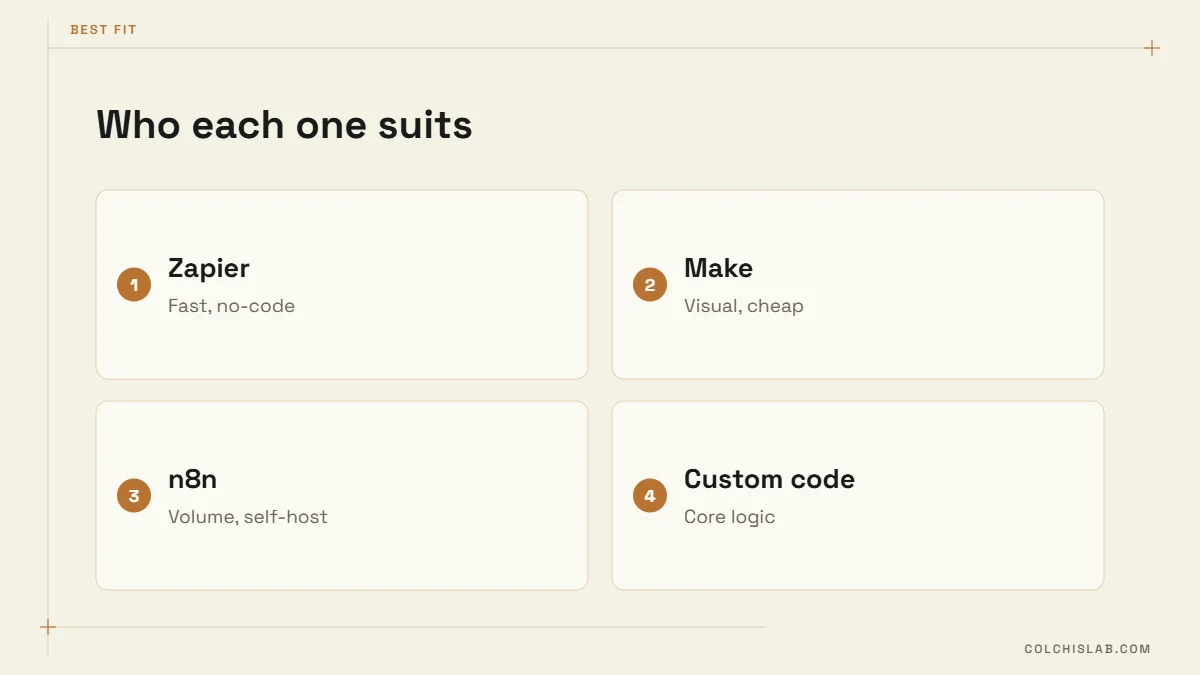
Zapier: the fastest start
Zapier has the largest catalogue of ready connectors and the gentlest learning curve. If a marketing or sales person will build and own the automations, and volume is modest, it is usually the right first tool. Its weaknesses are price at volume and limited control over complex logic and error handling.
Make: visual and economical
In any n8n vs Make vs Zapier test, Make’s canvas stands out: it shows the whole scenario, with routers, iterators and error branches you can see. It handles branching and data transformation better than Zapier for the money. It suits operations teams that are comfortable thinking in data flows but do not want to write code.
n8n: control and volume
n8n is the developer-friendly option: JavaScript or Python inside any node, raw HTTP requests, AI agent nodes and the option to self-host. Because it bills per workflow run, long workflows with many steps cost the same as short ones. We run most client bots on n8n — for example, the real estate listing alert bot and our own Facebook page AI agent.
The trade-off: self-hosting means you own updates, backups and security. Note also that n8n’s licence is “fair-code”: you can use it freely for your own business, but you cannot resell it as a hosted service.
Custom code: when the workflow is the product
Write code when the automation is part of what you sell, runs thousands of times a day, needs millisecond responses or must meet strict audit rules. A booking engine, a pricing calculator in your app or a payment reconciliation job are typical examples. The same logic applies to CRMs: see custom CRM vs off-the-shelf.
Data, Hosting and Security
Data location is often the deciding factor in n8n vs Make vs Zapier. If you handle customer data from the EU or Georgia, ask where each tool stores it. Zapier and Make are cloud services with US and EU hosting options on certain plans; n8n Cloud is hosted in the EU (Frankfurt), and self-hosted n8n keeps data on a server you choose. Whatever you pick:
- Use separate service accounts and API keys, not a manager’s personal login.
- Store the minimum personal data in the automation’s history and set log retention.
- Document every workflow: trigger, owner, apps touched and what to do if it fails.
- Turn on error notifications — a silent failure is worse than no automation.
A Five-Step Way to Decide
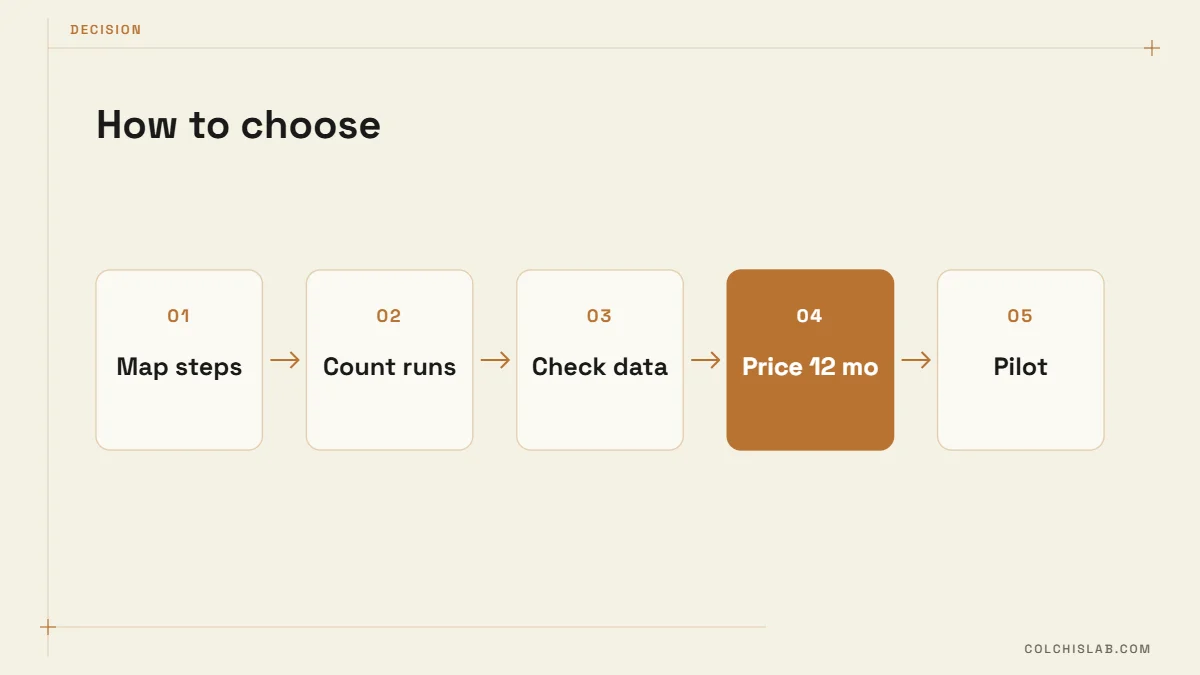
- Map the steps of your top three workflows on paper: trigger, actions, branches.
- Count monthly runs and actions per run, including scheduled checks.
- Check data rules: personal or health data, hosting region, who needs access.
- Price 12 months on each platform using its own unit, plus build and upkeep time.
- Pilot one workflow for two weeks before moving everything.
For many small businesses the honest result of an n8n vs Make vs Zapier comparison is a mix: Zapier or Make for quick marketing glue, n8n or code for the high-volume core. Two tools are fine; ten scattered tools owned by nobody is the real risk.
A Note for Businesses in Georgia
Georgian companies often need connections that have no ready connector anywhere: TBC and Bank of Georgia payment callbacks, rs.ge invoices, local SMS gateways or Telegram and WhatsApp bots in Georgian. These are HTTP APIs, so n8n or custom code is usually the practical route, while Zapier or Make handle the international apps around them. If you take payments online, our guide to accepting online payments in Georgia covers the bank side.
Where to Start
List the five tasks your team repeats most each week and how often they happen. That list answers n8n vs Make vs Zapier better than any feature table. Our automation bots service builds and maintains workflows on n8n and custom code, and we also connect them to your CRM and WhatsApp.
Not sure which engine fits? Send us your project with the workflows and monthly volumes, and we will price them on each platform for you.
Is n8n cheaper than Zapier?
Usually at higher volume, which is the core of the n8n vs Make vs Zapier debate. n8n bills per workflow run regardless of steps, while Zapier bills every action as a task. For a few hundred simple runs a month both are cheap; for thousands of multi-step runs n8n is typically far cheaper, especially self-hosted.
What is the difference between Make credits and Zapier tasks?
A Zapier task is one successful action step; triggers and filters are free. A Make credit is used by most module runs, including the trigger and searches, while routers and error handlers are free. The same workflow usually uses more Make credits than Zapier tasks, but credits are much cheaper.
Can I self-host n8n for free?
Yes. The Community Edition is free to self-host for internal business use. You pay for the server and take responsibility for updates, backups and security. Reselling n8n as a hosted service is not allowed under its licence.
Which is easiest for non-technical users?
Zapier has the gentlest learning curve and the most ready connectors. Make is visual but takes more time to learn. n8n is aimed at technical users who are comfortable with APIs and some code.
When should I use custom code instead of n8n, Make or Zapier?
When the workflow is core to your product, runs thousands of times a day, needs very fast responses or strict audit control. For occasional or back-office tasks, a platform is cheaper and faster to change.
Can I combine n8n, Make and Zapier?
Yes, and many teams do. A common setup is Zapier or Make for marketing tools and n8n or code for high-volume or sensitive workflows. Keep a list of every workflow and its owner so nothing runs unattended.