Table of Contents
Facebook Page Automation: How Our AI Agent Runs Our Page
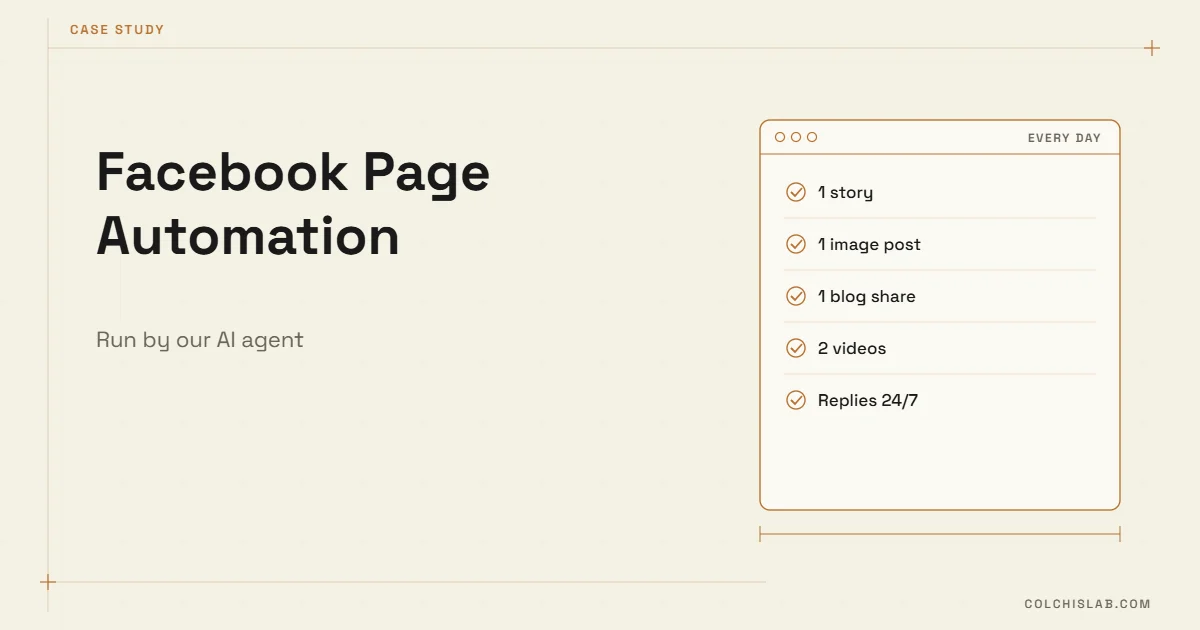
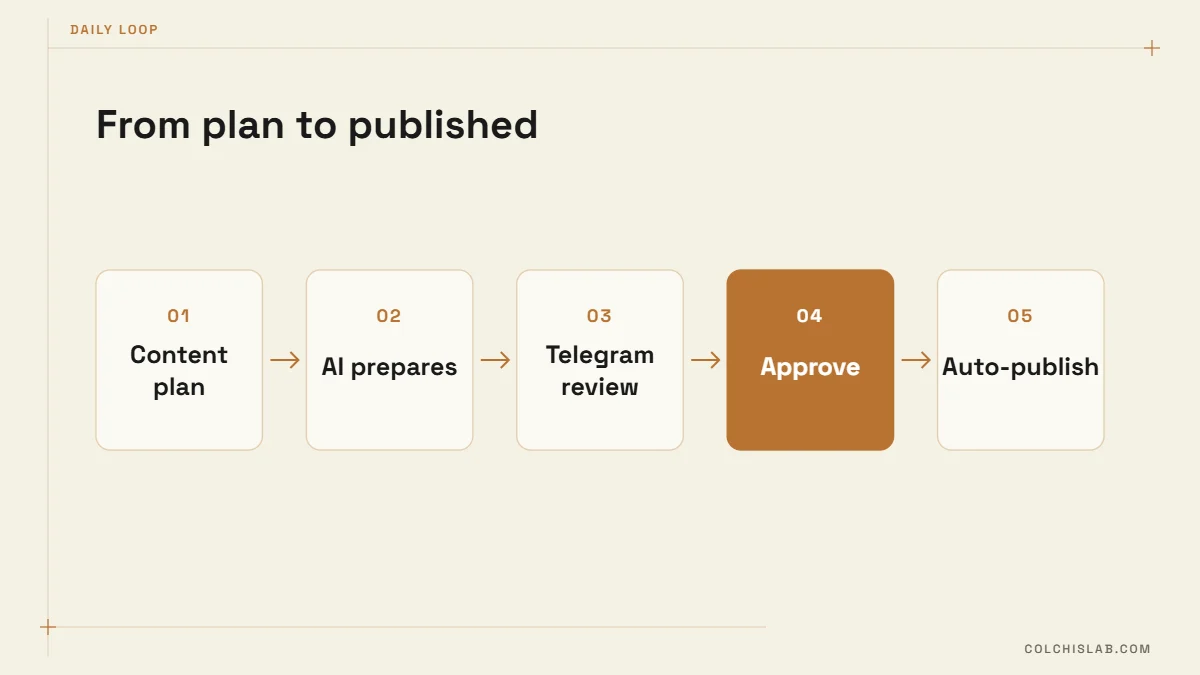
Facebook page automation does not have to mean a robot posting random content. On the Colchis Lab Facebook page, a Python bot working with AI agents prepares tomorrow’s content every day, sends it to us in Telegram for approval, publishes it on a strict schedule and replies to every message and comment. A person still decides what goes live; the machine does everything else.
This is how the system works, why we built approval into it and what we learned running it on our own brand before offering it to clients.
Table of Contents

What the Bot Does Every Day
Each day the bot assembles a pack of five ready-to-publish items for the next day and sends them to a private Telegram chat:
- 1 story – a short vertical piece for Facebook Stories.
- 1 image post – a designed graphic with caption and call to action.
- 1 blog share – an article pulled from our website, with its own image and summary.
- 2 videos – short vertical clips, each from a planned series, with music and a colour theme assigned in advance.
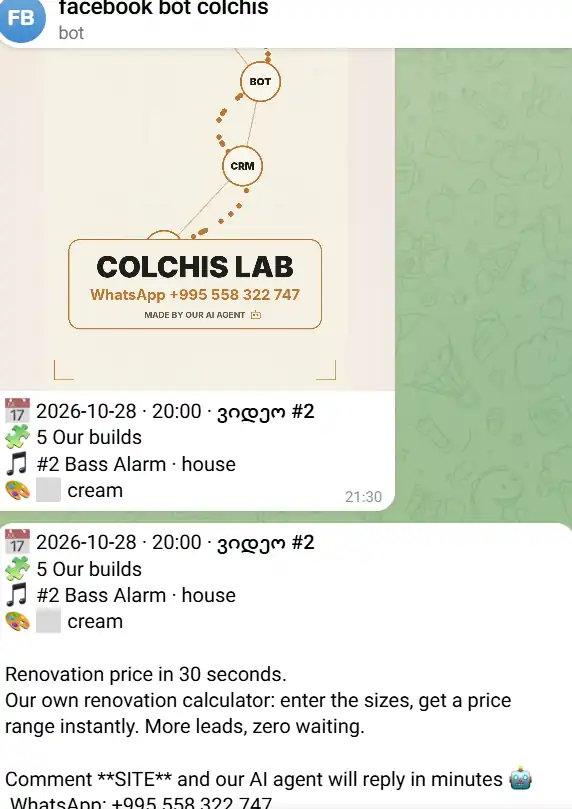
Every item arrives with its metadata: publish date and time, slot number, series, soundtrack and colour theme, plus the full caption. We read it, tap approve, and the bot schedules it. Nothing is published without that tap.
Why Facebook Page Automation Needs a Human Approval Step
Fully autonomous posting sounds efficient until an AI writes a price you do not offer or a claim you cannot back. The approval step costs us a few minutes a day and removes that risk. It also keeps the brand voice consistent: if a caption feels off, we reject it and the agent regenerates it before the slot.
Telegram is the right place for this review because it is already open on our phones. Files, previews and approve buttons sit in one chat, so reviewing tomorrow’s content fits into a coffee break. We use the same pattern in other projects – see Telegram bots for business.
A Strict Plan, Not Improvisation
The part that makes Facebook page automation reliable is the plan behind it. Posting times, video series, message scripts and the content mix are written in advance, and the bot follows them exactly. In the screenshot, a video is scheduled for 20:00 as slot #2 of the day, part of the “Our builds” series, with a named house track and the cream colour theme. The caption explains our renovation calculator and ends with a clear action: comment SITE and the AI agent replies within minutes, or write to us on WhatsApp.
Because the plan is fixed, the AI agents have a narrow job: produce the asset that fits the slot. That constraint is what keeps quality steady day after day, and it is the main difference between Facebook page automation that builds trust and automation that simply adds noise.
Every Message and Comment Gets an Answer
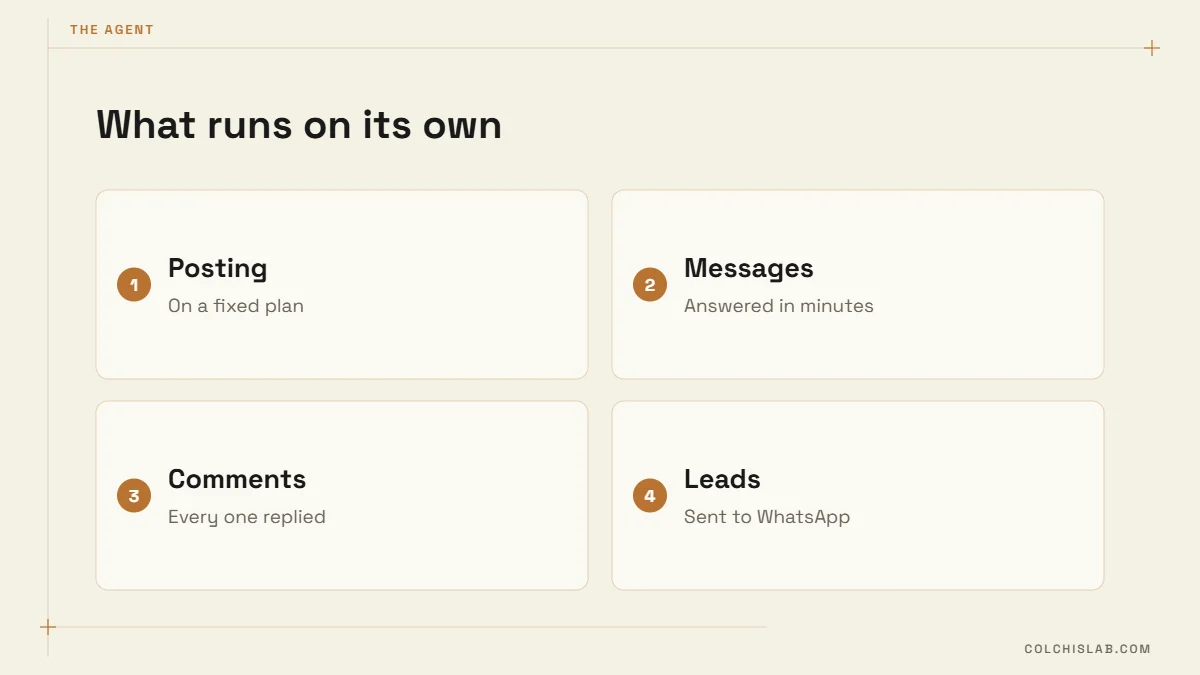
The second half of the system is conversation. The agent replies to every comment and every Messenger message, using a pre-written messaging plan: what to say to a price question, how to qualify a lead, when to share the WhatsApp number and when to hand over to a person. A comment like “SITE” triggers a private reply with details, so the public thread stays clean and the lead moves to a channel where we can close it.
This is the same approach we use for Instagram DM automation and AI chatbots on websites: scripted structure, AI for the wording, a human for anything unusual.
How Our Facebook Page Automation Is Built
- Python runs the scheduler, the content pipeline and the approval logic.
- AI agents write captions, adapt blog articles into posts, prepare video variations and draft replies within the rules of the plan.
- Telegram Bot API delivers the daily pack and records each approval.
- Meta’s Graph API publishes posts, stories and videos to the Page and handles comments and messages.
Meta sets the boundaries the system has to respect. According to Meta’s Reels Publishing API documentation, Reels must be 3 to 90 seconds long in a vertical 9:16 format, and a Page can publish up to 30 posts through the API in a rolling 24-hour period. Our five items a day sit comfortably inside that limit.
What We Learned Running It on Our Own Page
- Plan first, automate second. Automating a vague content strategy only produces vague content faster.
- Keep approval one tap away. If reviewing takes more than a few minutes, people stop reviewing.
- Give every post one action. “Comment SITE” or “Write on WhatsApp” turns views into conversations the agent can handle.
- Reuse what you already have. Blog articles become posts, posts become stories; one idea feeds several formats.
- Log everything. Each approval, publish and reply is recorded, so problems are easy to trace.
Common Mistakes in Facebook Page Automation
- Posting without a plan. A tool that publishes daily cannot fix the absence of a message. Write the series, the offers and the calls to action first.
- Letting AI answer everything. Complaints, refunds and unusual requests should reach a person quickly, with the full conversation attached.
- Ignoring the comment section. Facebook page automation that publishes but never replies wastes the attention it earns. Replies are where leads appear.
- One format only. Images alone rarely carry a Page. Mixing stories, posts, articles and short videos reaches people who use Facebook differently.
- No owner. Someone has to review the pack, adjust the plan monthly and watch for API or policy changes from Meta.
Can Your Business Use the Same System?
Yes, if you have a clear offer and a few hours to write the plan. Facebook page automation suits service businesses, clinics, real-estate agents and online shops that need to post consistently and answer questions fast but cannot staff a social media team. The setup we run on our own page can be adapted to your services, tone and channels, including Instagram and WhatsApp.
Explore our automation and bots service, follow the page to see it in action, or send us your project and we will map out what your own Facebook page automation could look like.
What is Facebook page automation?
It is software that prepares, schedules and publishes Page content and replies to messages and comments automatically, following a plan you define, so the Page stays active without daily manual work.
Does the AI publish without approval?
Not in our setup. The bot sends tomorrow’s five items to Telegram, and nothing is published until a person approves it. Replies to comments and messages follow a pre-written messaging plan.
What does the bot post each day?
One story, one image post, one shared blog article from our website and two short videos, each assigned a time slot, series, soundtrack and colour theme in advance.
Which tools does the system use?
Python for scheduling and logic, AI agents for captions, videos and replies, the Telegram Bot API for approvals and Meta’s Graph API for publishing and handling comments and messages.
Are there limits on automated posting?
Yes. Meta allows up to 30 API-published Reels per Page in a rolling 24-hour period, and Reels must be 3 to 90 seconds long in vertical 9:16 format.
Can this work for Instagram and WhatsApp too?
Yes. The same plan-approve-publish loop and AI replies can be extended to Instagram and WhatsApp, with each channel’s own rules and limits.