Table of Contents
WhatsApp Business API Chatbot: Setup and 2026 Pricing
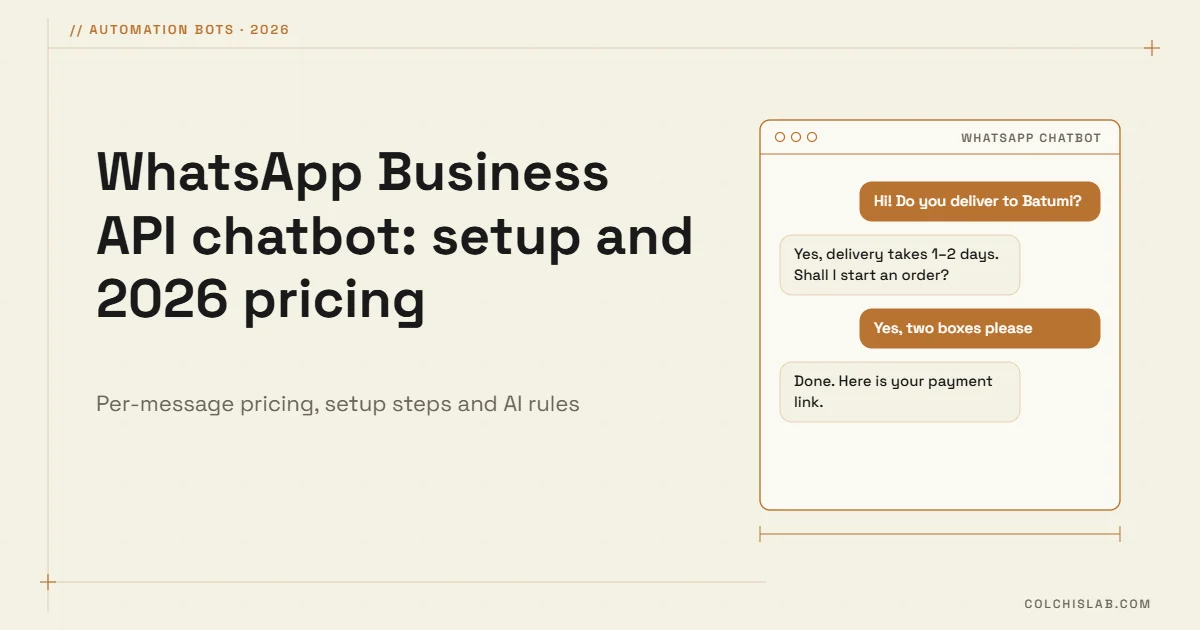
A WhatsApp Business API chatbot lets your business answer customers on WhatsApp automatically, 24/7, while connecting every conversation to your CRM, website and team. Since July 2025 Meta charges per template message instead of per conversation, replies inside the 24-hour customer service window are cheap or free, and setup takes days, not months. Below is how it works, what it costs in 2026, and how to launch one without surprises.
If your customers already write to you on WhatsApp, the question is not whether to automate, but how much of the routine you hand to a bot and how you keep a human one tap away.
Table of Contents
What a WhatsApp Business API chatbot can do
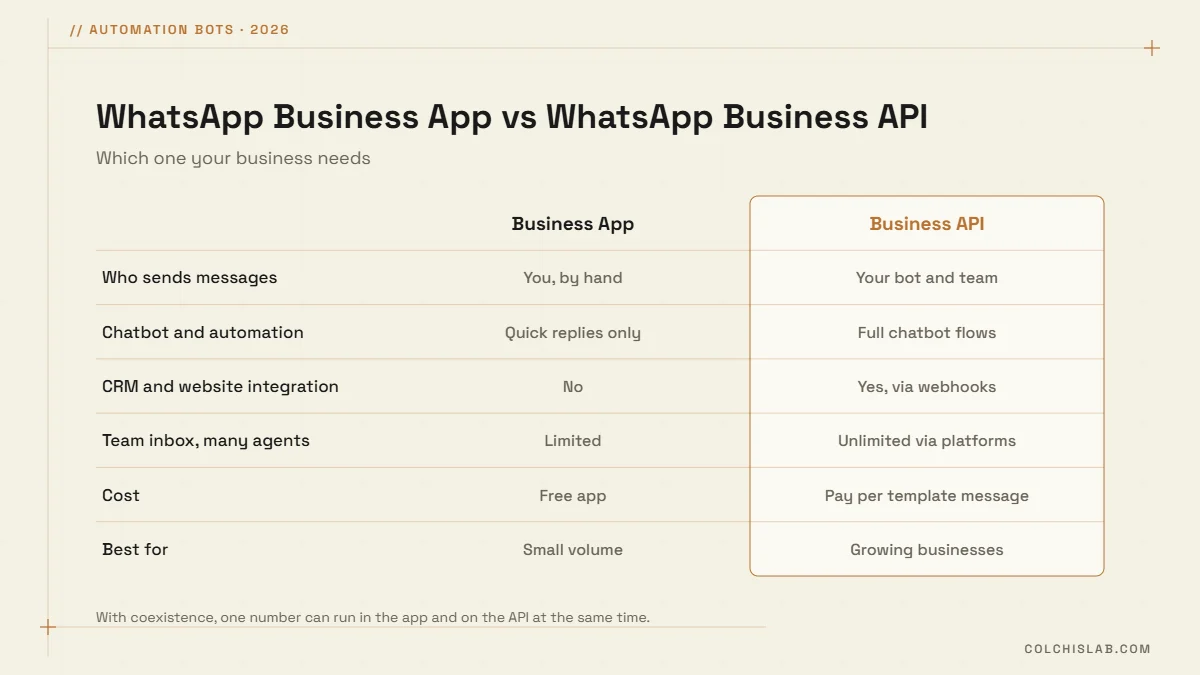
The free WhatsApp Business App is built for one person replying by hand. The API is built for systems: it receives every message on your server through webhooks, so a bot can answer, look up data and pass the chat to a person. Typical jobs for a WhatsApp chatbot:
- Instant answers: prices, opening hours, delivery areas and order status, in the customer’s language.
- Lead capture: ask a few qualifying questions and create a lead in your CRM with the phone number already attached.
- Bookings and reminders: confirm appointments and send reminders that cut no-shows.
- Order updates: confirmations, shipping and delivery notices as utility messages.
- Human handoff: route complex or unhappy customers to the right person with the full history.
WhatsApp Business API pricing in 2026
Meta’s pricing has changed several times, so it pays to understand the model rather than memorise a number. Since 1 July 2025 you pay per delivered template message, and the rate depends on the category and the recipient’s country:
- Marketing: promotions, offers, re-engagement. The most expensive category.
- Utility: order confirmations, delivery and account updates. Much cheaper than marketing.
- Authentication: one-time passcodes for login or verification.
- Service: free-form replies to a customer who wrote to you, inside the 24-hour customer service window. From October 2026 each number gets 1,000 free service messages a month, then a small per-message fee applies.
Two things keep costs low. First, the 24-hour window: when a customer writes to you, you can reply freely for 24 hours. Second, Click-to-WhatsApp ads and Facebook Page buttons open a free entry point window of up to 72 hours. Georgia falls into Meta’s “Rest of Central & Eastern Europe” rate group, so check that line on the current rate card before you plan campaigns.
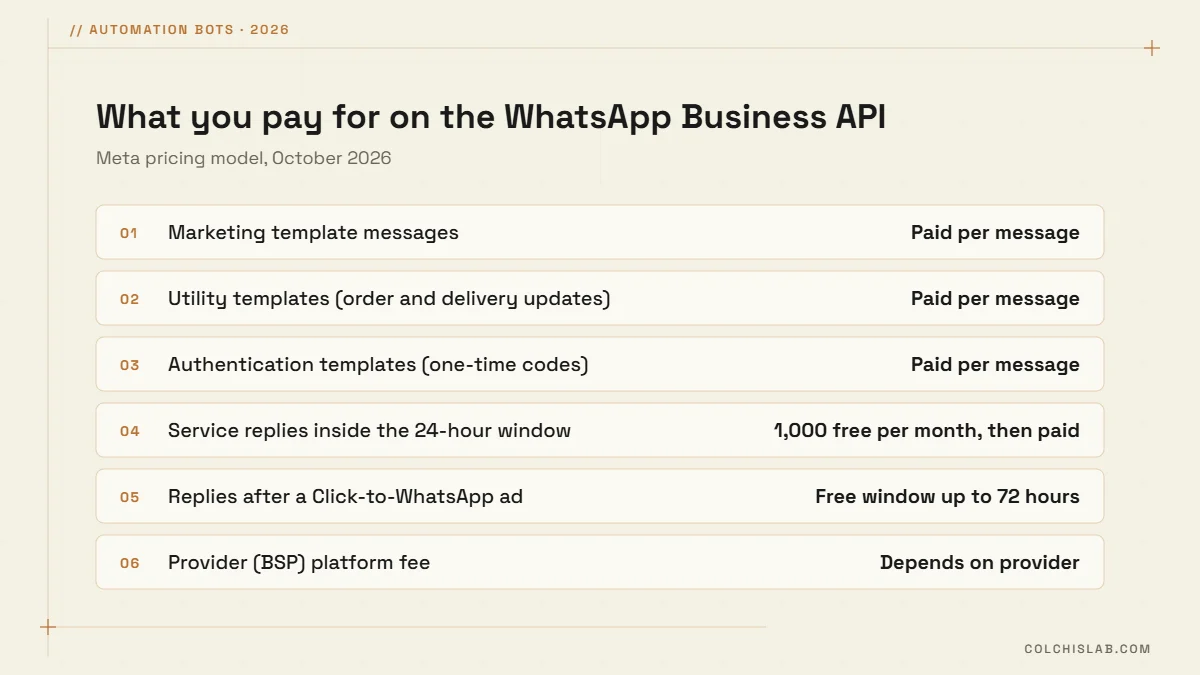
On top of Meta’s fees, a business solution provider (BSP) may charge a monthly plan or a per-message markup. Meta’s own Cloud API has no platform fee, which is why we usually build directly on it for clients who want full control.
How to set up a WhatsApp Business API chatbot
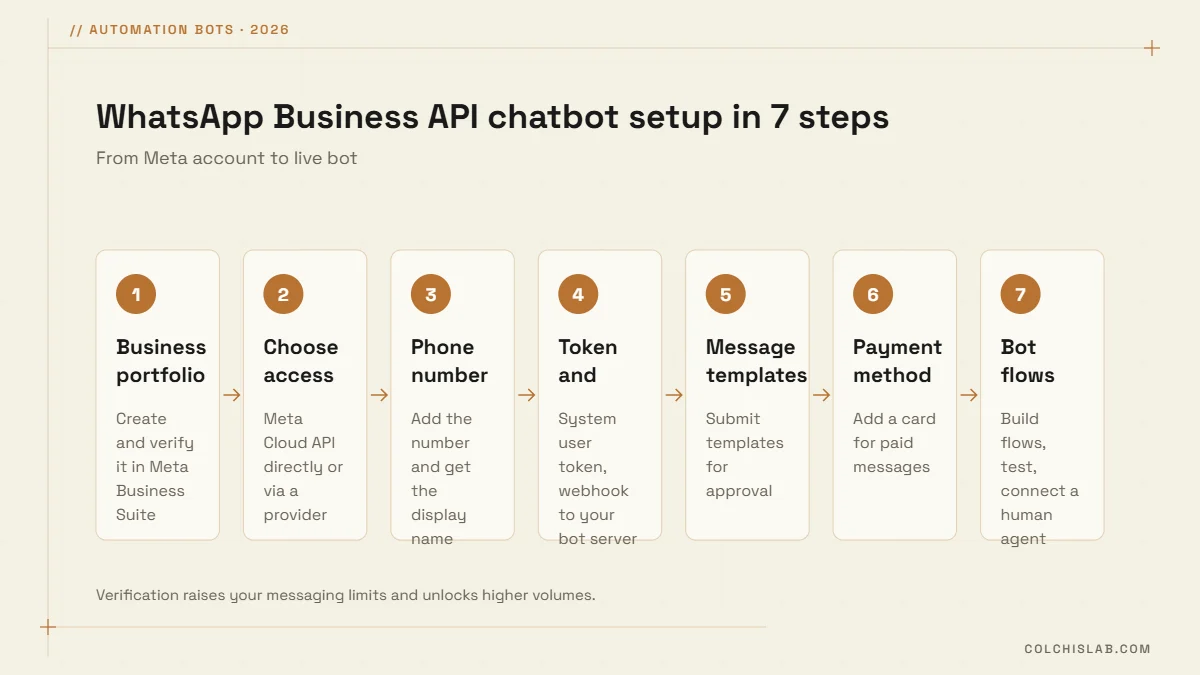
- Create a Meta business portfolio and complete business verification. It raises your limits and builds trust.
- Choose your access: Meta Cloud API directly, or a provider that bundles an inbox and bot builder.
- Add a phone number that is not tied to a personal account, and get your display name approved. With coexistence you can keep using the same number in the WhatsApp Business App.
- Generate a permanent system user token and set up webhooks so incoming messages reach your bot server.
- Submit message templates for anything you send first. Approval usually takes minutes to a day.
- Add a payment method for paid messages in Meta Business Settings.
- Build, test and launch the flows, with a clear button or keyword for “talk to a human”.
New numbers start with a limit of 250 unique customers per 24 hours for business-initiated template messages. Limits rise, to 2,000 and beyond, as you verify your business and keep message quality high.
Rules for AI chatbots on WhatsApp
Since 15 January 2026, Meta’s business terms no longer allow general-purpose AI assistants, the “ask me anything” kind, to run on the WhatsApp Business API. AI is still allowed when it serves your business: answering about your products, taking orders, booking, support. In practice a good WhatsApp Business API chatbot combines buttons and structured flows for common tasks, AI for understanding free text about your business, and a fast route to a person. Meta also requires an easy way to reach a human, and customers expect it.
When a WhatsApp chatbot is worth it
- You get dozens of similar WhatsApp messages a day and replies take hours.
- Leads arrive outside working hours and go cold by morning.
- You need order, booking or delivery updates to go out automatically.
- Several people answer from one phone and nobody sees the full history.
If most of your customers are on Telegram instead, start there: our guide to a Telegram bot for business covers that channel. Many businesses in Georgia run both, connected to one CRM.
We build WhatsApp Business API chatbot projects on Meta’s Cloud API, connected to your website, CRM and team. See our automation bots service, or tell us what your customers ask most and we will map the first version of your bot.
How much does a WhatsApp Business API chatbot cost?
You pay Meta per template message, priced by category and country, plus any provider fee and the cost of building the bot. Replies inside the 24-hour customer service window are free up to 1,000 a month per number.
Is the WhatsApp Business API free?
Access through Meta’s Cloud API has no platform fee, but template messages are paid per message. Providers that host the API for you usually add a monthly fee or markup.
What is the 24-hour customer service window?
When a customer messages you, a 24-hour window opens in which you can reply with free-form messages. Outside it you can only start a conversation with an approved template.
Can I use ChatGPT as a WhatsApp chatbot?
Not as a general-purpose assistant: since January 2026 Meta bans those on the Business API. You can use AI to answer questions about your own business, products and orders.
Can I keep using the WhatsApp Business App with the API?
Yes. With coexistence, the same number can stay in the WhatsApp Business App on your phone while the API and your chatbot handle automated messages.
How long does it take to launch a WhatsApp chatbot?
Account, number and templates usually take a few days. A focused bot with FAQs, lead capture and human handoff typically goes live in two to four weeks.