Table of Contents
WhatsApp CRM Integration for Small Business: Costs and 3 Setups
WhatsApp CRM integration for small business means every WhatsApp chat lands on the right contact in your CRM, moves a deal forward and can trigger approved follow-up messages – instead of living on one salesperson’s phone. For most small teams the right setup is either the CRM’s native WhatsApp channel or an inbox tool synced to the CRM; a custom API integration pays off when you need your own routing, bots or several systems in the loop.
The economics changed on 1 October 2026, when Meta resumed charging for service replies beyond a monthly free tier and for utility messages inside open chats. Below are the new rules, three setups compared, realistic monthly costs and the mistakes we see most often.
Table of Contents
What Changed in WhatsApp Pricing in 2026
Since July 2025 WhatsApp bills per delivered message, not per conversation. Messages from customers to you are free. According to Meta’s WhatsApp Business Platform pricing page, the key rules now are:
- Customer service window: when a customer messages you, a 24-hour window opens; inside it you can reply freely in any format. Outside it you can only send approved templates.
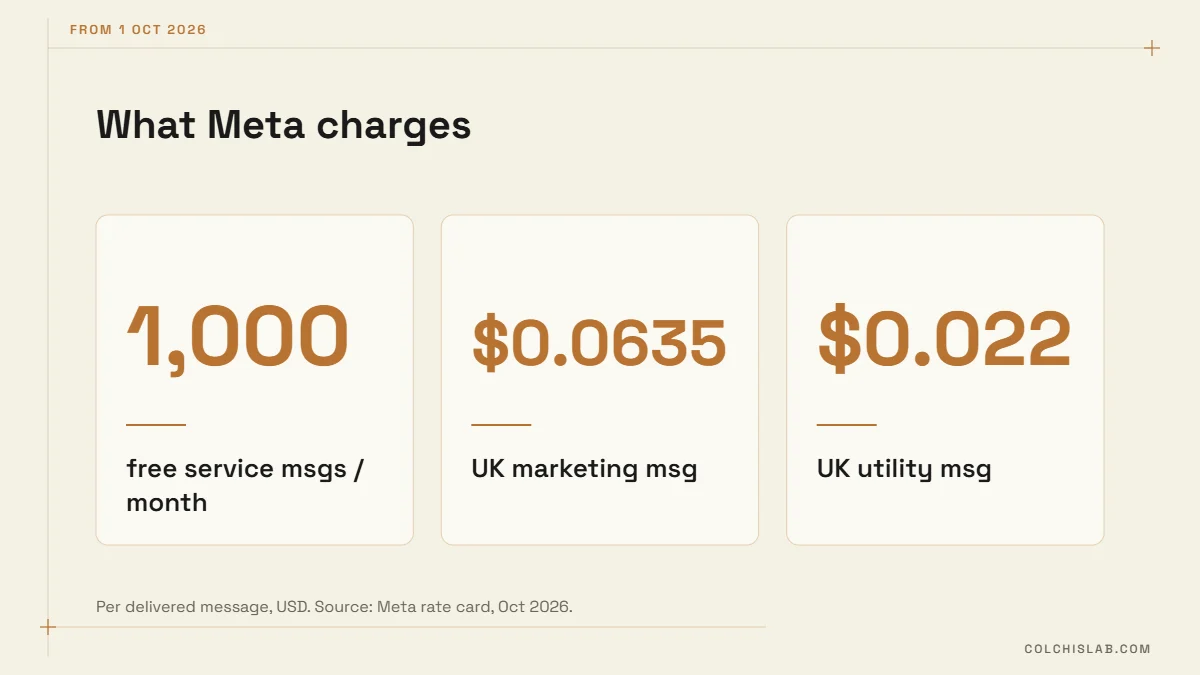
- 1,000 free service messages per business phone number per month; beyond that, service replies are charged again from 1 October 2026.
- Utility templates inside an open window (order updates, reminders) were free until 30 September 2026 and are charged from 1 October.
- Marketing templates are always paid and are the most expensive category.
- Click-to-WhatsApp ads open a free entry-point window of up to 7 days.
- Meta Business Agent (AI replies by Meta, added July 2026) is billed per token, roughly 4–5 cents per message.
| Market | Marketing | Utility | Service (after 1,000 free) |
|---|---|---|---|
| United Kingdom | $0.0635 | $0.0220 | $0.0220 |
| Germany | $0.1365 | $0.0550 | $0.0550 |
| Spain | $0.0707 | $0.0200 | $0.0200 |
| United States | $0.0250 | $0.0034 | $0.0034 |
| India | $0.0118 | $0.0014 | $0.0014 |
For a WhatsApp CRM integration for small business, these message fees are only one part of the bill. Your CRM or inbox provider adds its own subscription on top, and some add a markup per message – always ask for it in writing.
Three Ways to Connect WhatsApp to Your CRM
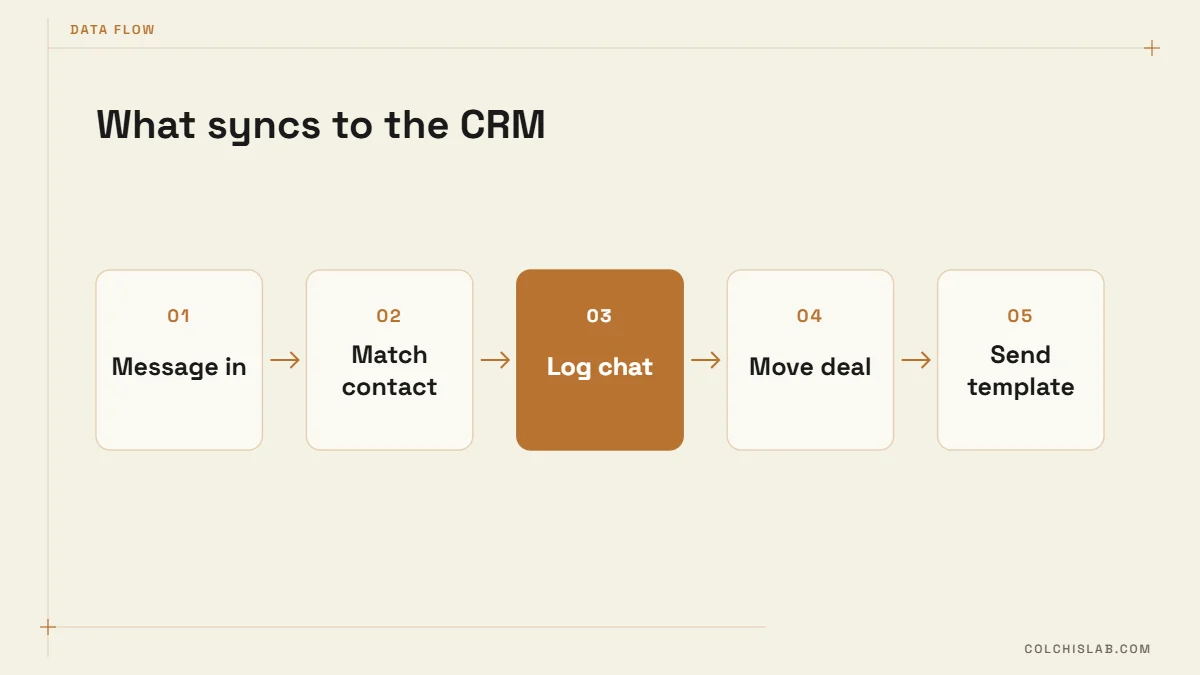
1. The CRM’s native WhatsApp channel
HubSpot, Zoho, Pipedrive, Bitrix24 and others now offer WhatsApp as a channel. It is the quickest route, but read the small print. HubSpot’s WhatsApp setup guide, for example, requires Marketing Hub or Service Hub Professional or Enterprise, caps template messages at 1,000 a month across connected accounts, syncs only messages received after connecting, and – unless you use Meta’s coexistence mode – moves the number’s chats out of the WhatsApp app into the HubSpot inbox.
2. A WhatsApp inbox tool synced to the CRM
Business solution providers such as WATI, respond.io, Gallabox or Twilio-based inboxes give you a shared team inbox, chatbots and broadcast tools, and push contacts and conversations to your CRM through a ready connector. Good when your CRM’s native channel is missing, locked behind an expensive tier, or too basic for your team.
3. Custom integration via the WhatsApp Cloud API
You connect directly to Meta’s Cloud API and write the rules yourself – with code or an automation platform such as n8n. Incoming messages hit a webhook, the system finds or creates the contact, logs the chat, applies routing and sends templates when a deal changes stage. More set-up work, but no per-seat inbox fees and full control over what happens.
| Native CRM channel | Inbox tool + CRM | Custom Cloud API | |
|---|---|---|---|
| Set-up time | Hours | 1–3 days | 1–4 weeks |
| Extra monthly fee | Often requires a higher CRM tier | Inbox subscription | Hosting only |
| Chatbots | Basic | Strong | Anything you build |
| Routing rules | CRM workflows | Tool rules | Fully custom |
| Several systems (ERP, booking, accounting) | Limited | Via connectors | Yes |
| Best for | Teams already on a pro CRM tier | Busy support or sales inbox | Specific processes, high volume |
What Should Flow Into the CRM
Whichever setup you choose, a good WhatsApp CRM integration for small business does five things reliably:
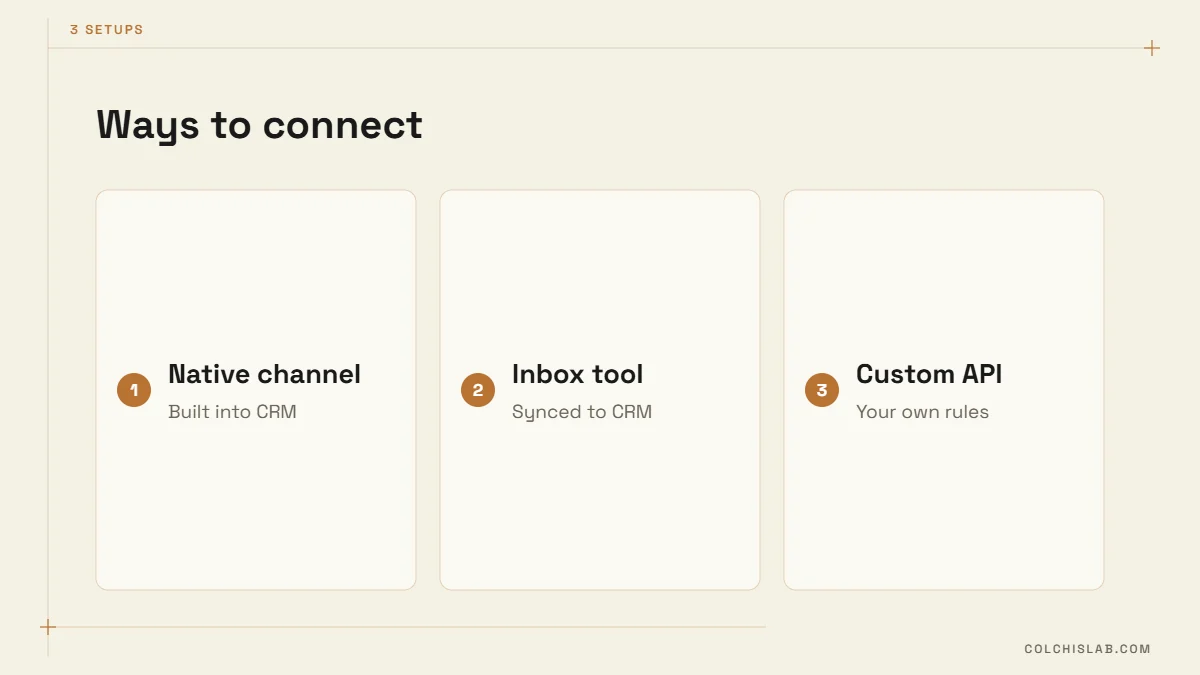
- Match the contact by phone number in international format (+44…, +49…, +995…), so a chat never creates a duplicate.
- Log the conversation on the contact and the open deal, including media and who replied.
- Assign an owner – by language, region, product or round-robin – and alert them.
- Move the deal when something meaningful happens: quote requested, booking confirmed, payment received.
- Trigger approved templates from CRM stages: quote follow-up after two days, appointment reminder, review request.
Also capture consent. In the EU and UK, WhatsApp chats contain personal data, so your WhatsApp CRM integration for small business needs a lawful basis, a data processing agreement with the provider and a retention rule for old chats. Store when and how each contact opted in to WhatsApp messages; you will need it for template marketing, Meta’s policies and GDPR. The same structure works for a website form connected to the CRM, so leads from both channels look alike.
Real Monthly Cost Examples
Numbers make the choice easier. The example below uses the October 2026 rate card and the free tier; it leaves out software subscriptions, which you add for your chosen setup.
A typical service business with one number: 800 incoming chats a month, 900 service replies, 200 utility reminders (sent inside open chats) and one marketing campaign of 300 messages.
| United Kingdom | Germany | United States | |
|---|---|---|---|
| 900 service replies | $0 (free tier) | $0 (free tier) | $0 (free tier) |
| 200 utility reminders | $4.40 | $11.00 | $0.68 |
| 300 marketing messages | $19.05 | $40.95 | $7.50 |
| Meta total | ≈ $23 | ≈ $52 | ≈ $8 |
For most small businesses the WhatsApp fees are modest; the real cost is the software tier. Moving to a CRM plan that includes WhatsApp can cost far more per seat than the messages themselves, which is why a WhatsApp CRM integration for small business often ends up as option 2 or 3. Our HubSpot vs Zoho vs Pipedrive comparison lists the plan prices.
Six Mistakes That Break the Integration
We have untangled enough broken setups to see the same patterns. Any WhatsApp CRM integration for small business should be checked against this list before go-live:
- Using a personal number. Only WhatsApp Business accounts can connect; personal numbers cannot.
- Migrating the main number without a plan. Once a number moves to the API, chats may disappear from the phone app unless coexistence is supported – warn the team first.
- Ignoring the 24-hour window. Staff try to reply to a chat from last week and fail; build templates for re-opening conversations.
- No opt-in record. Marketing without consent leads to blocks, lower quality ratings and limits on your number.
- Duplicate contacts. Numbers saved as 0555…, 555… and +995555… become three people. Normalise to one format.
- Bots with no human exit. Always offer “talk to a person” and pass the full chat history to the agent.
WhatsApp CRM Integration for Small Business: Where to Start
List your current WhatsApp volume, who answers, which CRM you use and which events should trigger messages. If your CRM tier already includes WhatsApp, start native. If not, compare an inbox tool with a custom Cloud API setup over 12 months. We build the third option for teams that want bots, booking and CRM in one flow – see our CRM integration service, the WhatsApp Business API chatbot guide and the appointment booking chatbot example.
Planning a WhatsApp CRM integration for small business? Send us your project with your CRM, monthly chat volume and the process you want to automate – we’ll tell you which of the three setups costs least over a year.
Can I integrate WhatsApp with my CRM for free?
The WhatsApp side can be almost free for a small business: incoming messages are free and each number gets 1,000 free service replies a month. But most CRMs include WhatsApp only on paid tiers, and inbox tools charge a subscription.
Which CRM has the best WhatsApp integration?
It depends on your team. HubSpot, Zoho, Pipedrive and Bitrix24 all offer WhatsApp, with different tier requirements and limits. Compare the tier you need, template limits and whether chats stay visible in the WhatsApp app.
Do I need the WhatsApp Business API to connect a CRM?
Yes. CRM integrations use the WhatsApp Business Platform (Cloud API), either directly or through a provider. The free WhatsApp Business app alone cannot sync reliably with a CRM.
How much does WhatsApp charge per message in 2026?
Rates depend on country and category. From October 2026, for example, a UK marketing message costs about $0.0635 and a utility or extra service message about $0.022; the first 1,000 service messages per month are free.
Can I keep using the WhatsApp app after connecting the API?
Only with Meta’s coexistence mode, where supported by your provider. Otherwise chats move to the CRM or inbox and no longer appear in the phone app.
How long does a WhatsApp CRM integration take?
A native CRM channel takes a few hours, an inbox tool with a CRM connector one to three days, and a custom Cloud API integration usually one to four weeks including templates and testing.