Table of Contents
Appointment Booking Chatbot for Clinics and Salons: How It Works
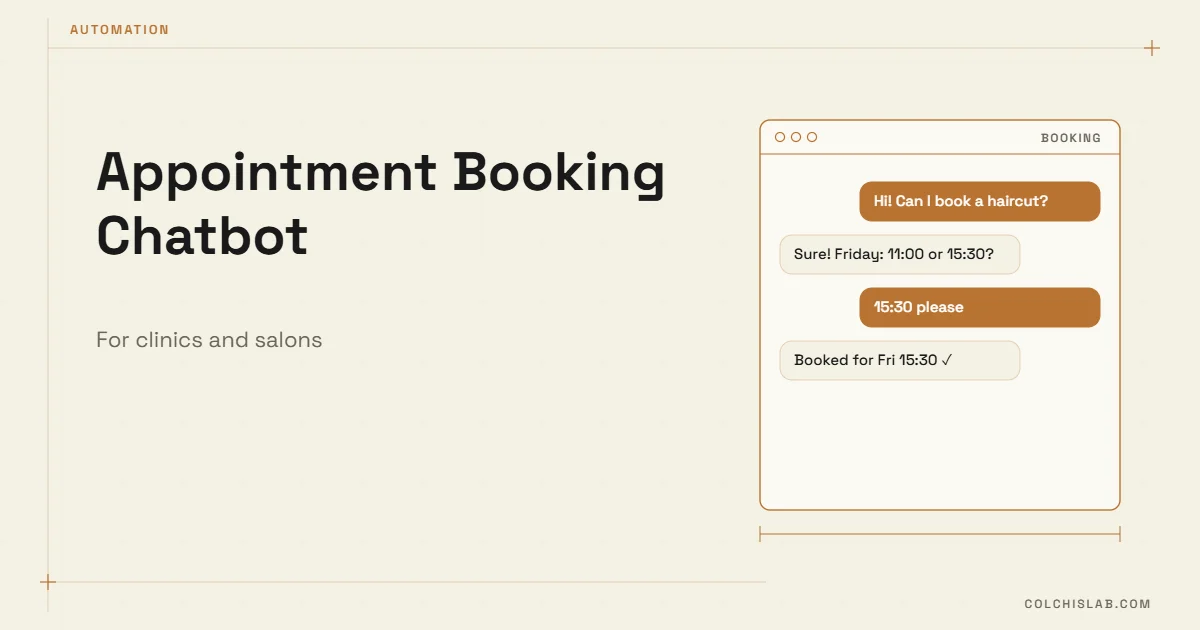
An appointment booking chatbot lets patients and clients pick a service, a specialist and a free time slot in a chat, then confirms the visit and sends reminders – without anyone at the front desk picking up the phone. For clinics and salons, that means bookings at 11 p.m., fewer missed calls and fewer empty chairs from people who simply forgot.
This guide explains what a good booking bot actually does, how it connects to your calendar, which channel to start with, what it costs to run in 2026 and the mistakes that make clients give up halfway through.
Table of Contents
What an Appointment Booking Chatbot Does
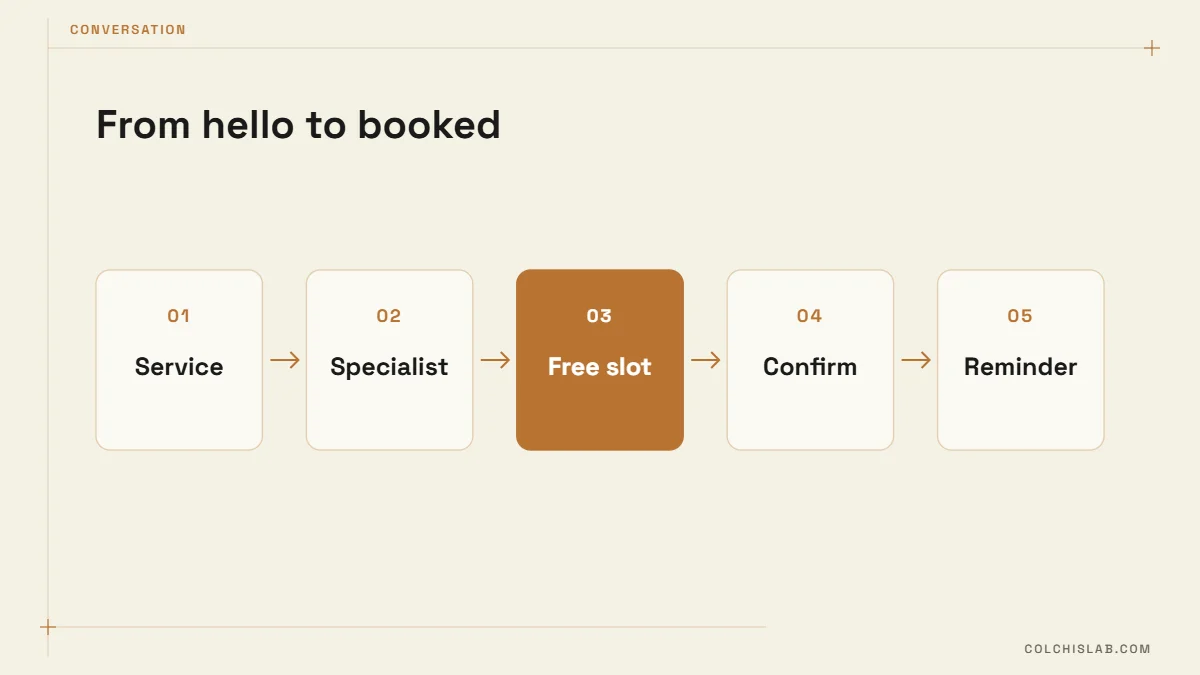
Think of it as a receptionist that only handles the repetitive part of the job. A well-built bot covers five tasks:
- Booking – service → specialist (or “anyone”) → day → free slot → name and phone.
- Confirmation – a clear summary with date, time, address and price, plus a button to change it.
- Reminders – usually 24 hours before, sometimes again 2 hours before, with “Confirm” and “Reschedule” buttons.
- Rescheduling and cancelling – the client frees the slot themselves, so you can offer it to someone else.
- Handover – anything unusual (a complaint, a medical question, a group booking) goes to a human with the full chat history.
What it should not do: diagnose, give treatment advice or quote prices that depend on an examination. In a clinic, the bot books; the doctor decides.
The Conversation: Short Beats Clever
The best booking flows look boring. Buttons beat free text, because “Friday after work” is easy for a person to understand and hard for software to map to a slot. A typical flow:
| Step | Bot asks | Client taps |
|---|---|---|
| 1 | Which service? | Cleaning / Consultation / Whitening |
| 2 | Any preferred specialist? | Dr. Beridze / Anyone |
| 3 | Which day? | Today / Tomorrow / Choose date |
| 4 | Free times: | 10:30 · 13:00 · 16:15 |
| 5 | Name and phone? | Shares contact |
| 6 | Booked for Thu 13:00. See you! | Add to calendar |
Six steps, mostly taps, under a minute. Every extra question you add – “How did you hear about us?” – costs completions. Ask it after the visit instead.
Calendar Sync Is the Hard Part
The chat is the easy bit. The real work is making sure the appointment booking chatbot only offers slots that are actually free, and that a slot booked by phone five minutes ago disappears from the chat immediately. There are three common setups:
- Google Calendar per specialist – simple and cheap for small salons. The bot reads free/busy time and writes the booking as an event.
- Existing booking software – if you already use a clinic system or salon app with an API, the bot becomes a new front door to it. No double entry.
- A CRM as the source of truth – useful when you also track treatments, packages or repeat visits. See how a website form connects to a CRM – a booking bot follows the same logic.
Whatever you choose, define service durations and buffers (cleaning the room, sterilising tools) in one place. Most double bookings we see come from durations stored in two systems that drifted apart.
Reminders: Where the Money Is
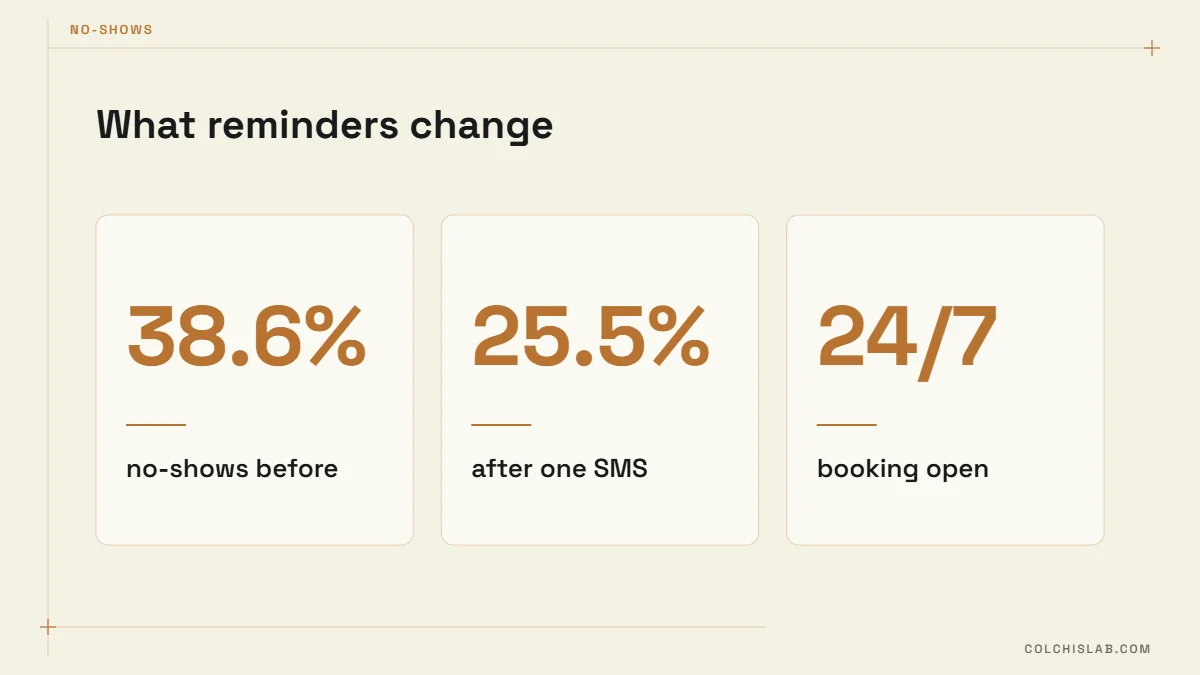
Missed appointments are the most expensive problem a booking bot solves. In a study published in BMJ Open Quality, a clinic that added a single SMS reminder 48 hours before visits saw uninformed no-shows fall from 38.6% to 25.5%. Your numbers will differ, but the direction is consistent: people mostly forget, they rarely refuse.
A chat reminder works better than a plain SMS when it has buttons. “Confirm” gives you certainty; “Reschedule” frees the slot early enough to fill it. Add a short waiting list, and an appointment booking chatbot can message the next person automatically when someone cancels.
Choosing a Channel
Put your appointment booking chatbot where your clients already message you. Moving them to a new app adds friction you don’t need.
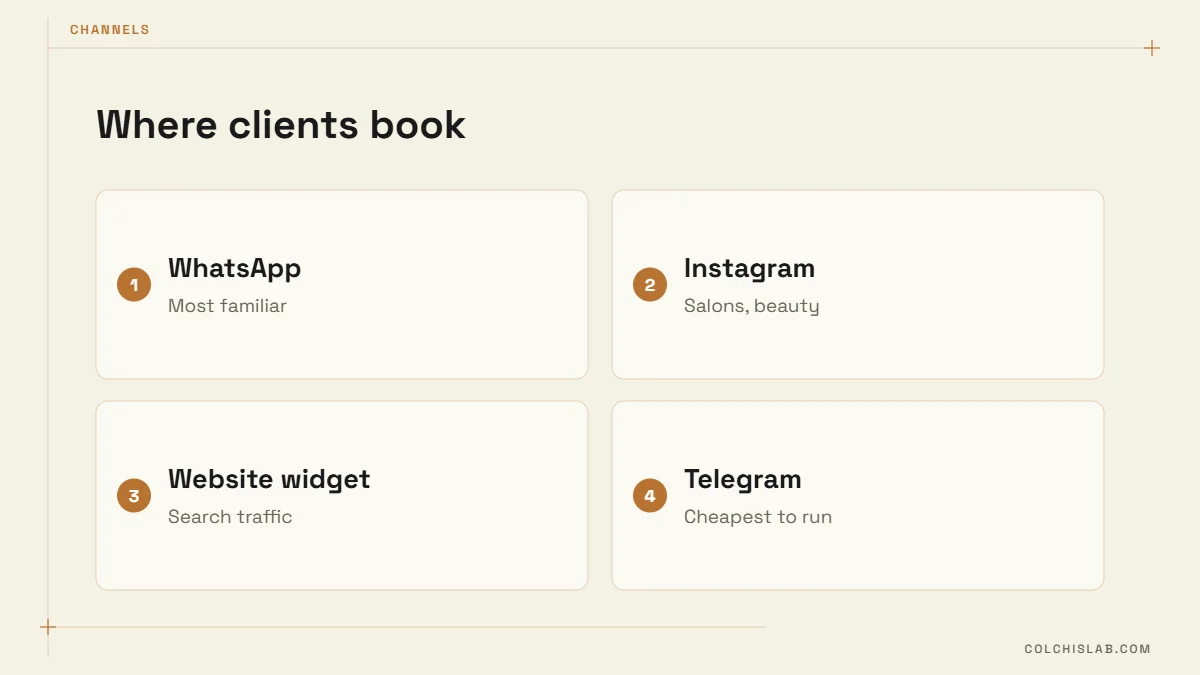
- WhatsApp – the default for clinics with adult patients. Requires the WhatsApp Business Platform; read our WhatsApp Business API chatbot guide for setup.
- Instagram DMs – natural for beauty salons, barbers and nail studios whose clients find them through posts. See Instagram DM automation.
- Website widget – catches visitors from Google search and ads; pairs well with a clinic website built around a “Book now” button.
- Telegram – free to run and fast to build, a good fit where your audience already uses it. More in Telegram bots for business.
Many businesses end up with two channels feeding one calendar. That is fine, as long as both read the same availability.
What It Costs to Run in 2026
Costs come in three layers: the build, hosting, and per-message fees on paid channels.
- WhatsApp fees – Meta charges per delivered template message. According to the WhatsApp Business Platform pricing page, from 1 October 2026 each number gets 1,000 free service messages a month, after which service messages are charged again, and utility messages (like reminders) sent inside an open chat window are no longer free. Budget for reminders as a real, if small, line item.
- Telegram and website chat – no per-message fees; you pay only for hosting.
- Build – a button-based bot with one calendar is a small project; multiple branches, specialists, payments or deposits and a CRM add weeks, not days.
- AI layer (optional) – useful for understanding free-text questions, but keep the booking itself on buttons so a model never invents a slot.
Seven Steps to Launch an Appointment Booking Chatbot
- List services with real durations, buffers and prices.
- Decide who can be booked online, and which services need a call first.
- Pick the calendar or system that stays the single source of truth.
- Write the flow with buttons; keep it under six steps.
- Set reminder timing and a cancellation rule (for example, free until 24 hours before).
- Test with staff: double bookings, last-minute cancels, two people tapping the same slot.
- Launch on one channel, watch completion rates for two weeks, then add the next.
Clinics and Salons Need Different Things
Clinics care most about data and accuracy. A clinic appointment booking chatbot handles sensitive context, so collect only what booking needs (name, phone, reason in a few words) and keep medical questions with staff. Make sure your privacy notice covers the chat channel. Salons care most about speed and rebooking: suggest the next visit automatically (“Your colour is due in six weeks – book now?”), and show each stylist’s photo so clients can choose.
Both benefit from the same discipline: one calendar, short flows, reminders with buttons and a clean handover to a person. If you want an appointment booking chatbot built around your schedule and channels, explore our automation and bots service or send us your project.
What is an appointment booking chatbot?
It is a chat assistant on WhatsApp, Instagram, Telegram or your website that lets clients choose a service, specialist and free time slot, confirms the booking and sends reminders automatically.
Can a booking bot connect to Google Calendar?
Yes. The bot reads each specialist’s free and busy time and writes confirmed bookings as events, so phone bookings and chat bookings stay in one place.
Do reminders really reduce no-shows?
Usually, yes. One published clinic study saw uninformed no-shows fall from 38.6% to 25.5% after adding a single SMS reminder. Reminders with confirm and reschedule buttons work even better.
Is WhatsApp free for booking reminders?
Not entirely. From October 2026 Meta charges for utility messages even inside an open chat window and for service messages beyond 1,000 a month per number, so reminders carry a small per-message cost.
Should the bot use AI?
AI helps understand free-text questions, but the booking itself should run on buttons and real calendar data, so the bot never offers a slot that does not exist.
How long does it take to build?
A single-channel bot with one calendar can launch in one to two weeks. Several branches, payments, deposits or a CRM integration add more time.