Table of Contents
Why Is My WordPress Site Slow? 12 Fixes
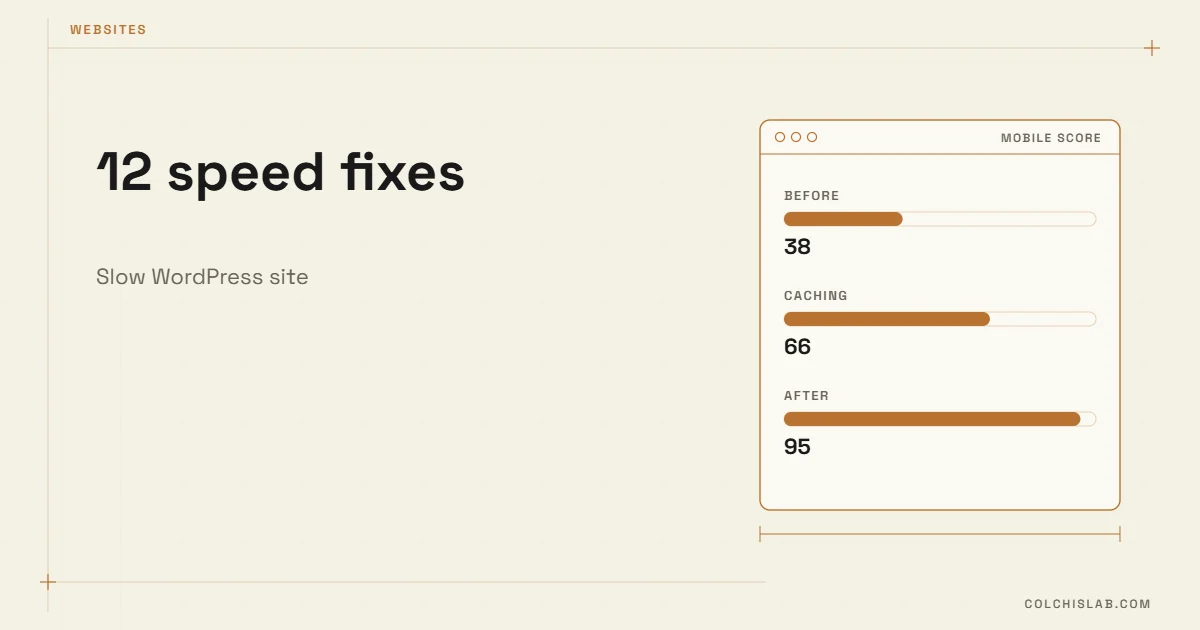
If you are asking why is my WordPress site slow, the answer is usually one of three things: a slow server, too much code from a page builder and plugins, or heavy images and third-party scripts. The good news is that each cause leaves fingerprints you can measure in 15 minutes, and most fixes cost little or nothing.
We rebuild and speed up WordPress sites every month. Below is the diagnosis routine we use, the 2026 Core Web Vitals targets, and the 12 fixes in the order that usually delivers the biggest gains first.
Table of Contents
First, Measure: Field Data vs Lab Data
Open PageSpeed Insights and test your homepage and one key inner page on mobile. The top section shows field data — real visitors over the previous 28 days from the Chrome UX Report. The lower section is lab data from a single simulated load. As Google explains, the two can differ: lab data is for debugging, field data is what users actually experienced.
Pages pass Core Web Vitals when the 75th percentile of visits meets all three targets, according to web.dev:
| Metric | Good | Typical WordPress cause |
|---|---|---|
| LCP (Largest Contentful Paint) | ≤ 2.5 s | Hosting, caching, hero image, render-blocking CSS |
| INP (Interaction to Next Paint) | ≤ 200 ms | Heavy JavaScript, page builders, third-party scripts |
| CLS (Cumulative Layout Shift) | ≤ 0.1 | Images without dimensions, late fonts, ads, cookie bars |
| TTFB (diagnostic) | ≤ 800 ms | Server, PHP, database, missing page cache |
| FCP (diagnostic) | ≤ 1.8 s | Render-blocking CSS and fonts |
Write down LCP, INP, CLS and TTFB before you change anything. Every fix below should be re-tested against this baseline, one change at a time.
Two more quick checks save time later. First, test a plain page with no builder content (your privacy policy, for example) next to your homepage: if both are slow, look at the server; if only the homepage is slow, look at what that page loads. Second, open the Network tab in Chrome DevTools, reload with cache disabled and sort by size. The three heaviest files usually point straight at the culprit — an oversized hero image, a slider library or a chat widget.
Why Is My WordPress Site Slow on the Server Side?
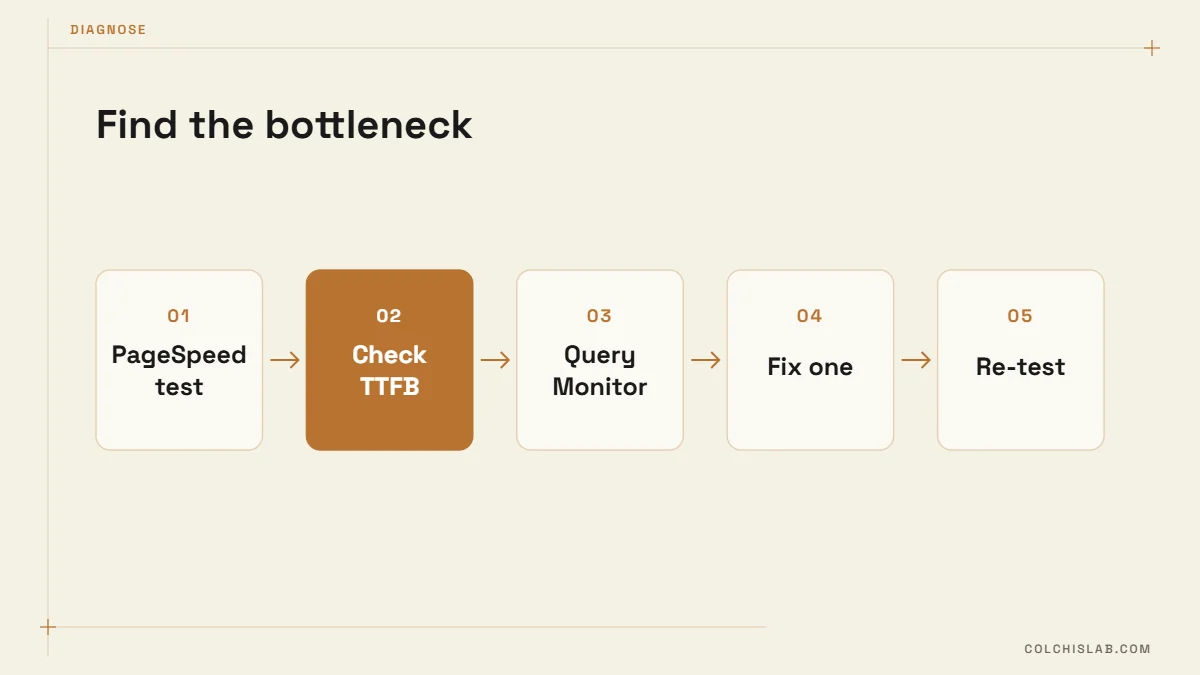
If TTFB is above 800 ms, the problem starts before the browser receives a single byte. Install the free Query Monitor plugin and load a slow page while logged in: it shows total database queries, the slowest queries, which plugin triggered them, and external HTTP calls made during page generation. A page making 400 queries or waiting two seconds on an external API explains a lot.
1. Underpowered or overcrowded hosting
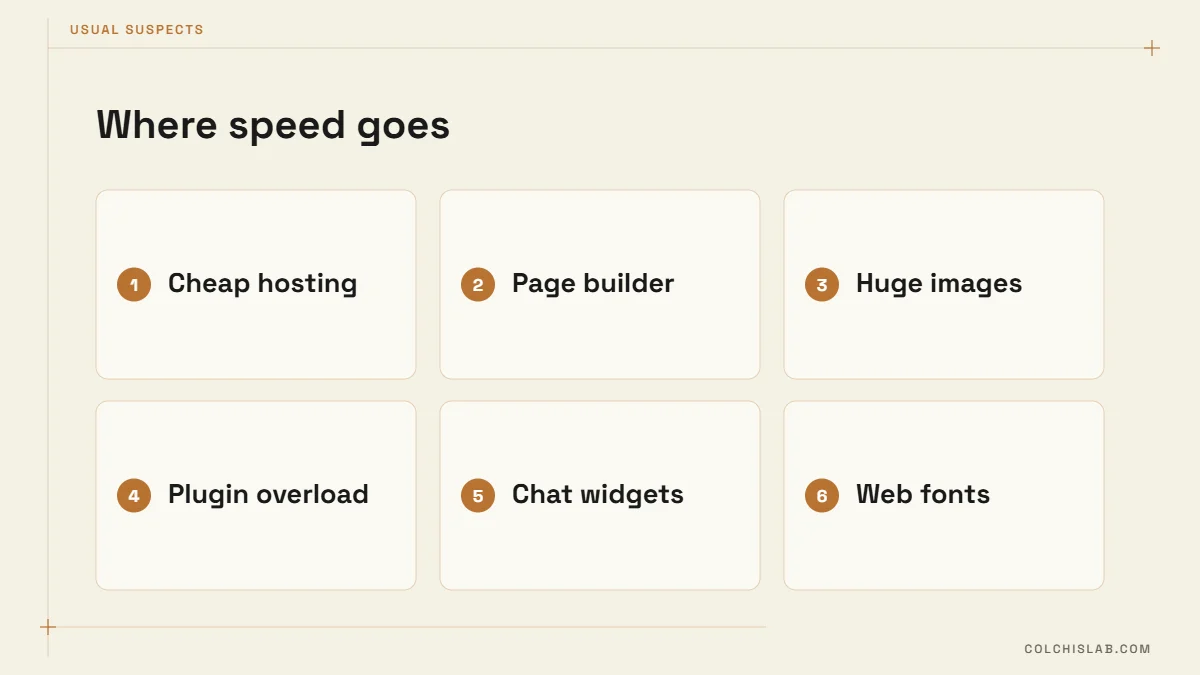
Cheap shared hosting puts hundreds of sites on one server. When a neighbour gets busy, your TTFB jumps. Move to managed WordPress hosting or a small VPS with LiteSpeed or Nginx, and pick a data center near your visitors.
2. Old PHP version
Each PHP release runs WordPress faster. The official WordPress requirements recommend PHP 8.3 or greater, plus MySQL 8.0+ or MariaDB 10.11+. Many hosts still default to older versions; switching is usually one click in the control panel. Test on staging first, because old plugins can break.
3. No page caching
Without page caching, WordPress rebuilds every page with PHP and database queries for each visitor. A caching plugin (LiteSpeed Cache, WP Rocket, W3 Total Cache) or server-level cache serves ready-made HTML instead. This alone often cuts TTFB from over a second to under 200 ms.
4. Bloated database and no object cache
Years of post revisions, expired transients, spam comments and leftover tables from deleted plugins slow every query. Clean them, limit revisions, and check the size of autoloaded options — Query Monitor and Site Health help here. On busy sites, a Redis object cache stores repeated query results in memory.
Why Is My WordPress Site Slow in the Browser?
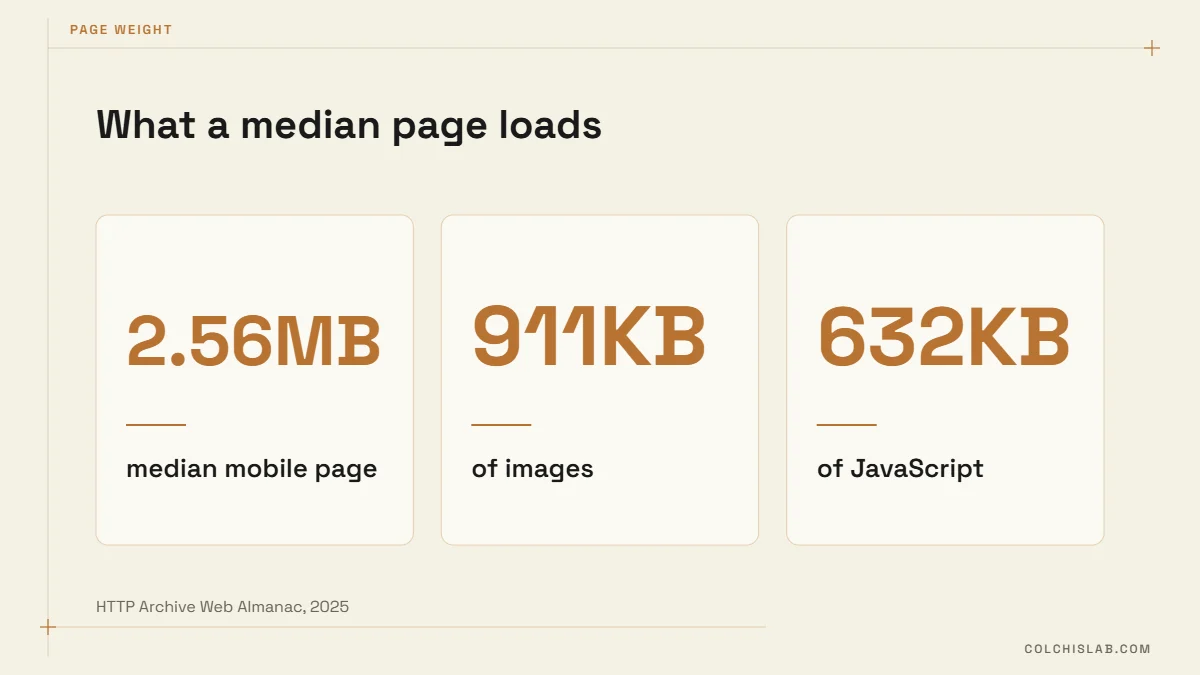
The HTTP Archive Web Almanac 2025 puts the median mobile homepage at about 2.56 MB, including 911 KB of images and 632 KB of JavaScript. Many WordPress sites we audit are double that. When a client asks why is my WordPress site slow even though the server responds quickly, the answer is almost always in the eight fixes below.
5. Heavy, unoptimized images
A 4 MB photo straight from a phone, scaled down by CSS, is the classic LCP killer. Convert to WebP or AVIF, resize to the largest size actually displayed, and let WordPress serve responsive srcset sizes. Aim for hero images under 150–200 KB.
6. Lazy-loading the wrong image
Lazy loading is good for images below the fold, but if your hero or LCP image is lazy-loaded, the browser waits to fetch it. Exclude the first visible image from lazy loading and give it fetchpriority="high". Always set width and height to prevent layout shift.
Code Bloat: Builders, Plugins and Scripts
7. Page builder bloat
Elementor, Divi and similar builders wrap every element in several nested containers and load their own CSS and JavaScript. Use the builder’s performance settings (optimized DOM output, improved asset loading), remove unused widgets, or rebuild key templates with the block editor. This is often the real answer to why is my WordPress site slow on mobile while desktop looks fine.
8. Too many or poorly built plugins
The number matters less than quality. One badly coded slider can load scripts on every page. Use Query Monitor to see each plugin’s queries, deactivate plugins one by one on staging and re-test, and replace heavy plugins with lighter ones or a few lines of code.
9. Render-blocking CSS and JavaScript
Scripts in the head block rendering. Defer non-critical JavaScript, delay scripts until user interaction where safe, generate critical CSS, and remove unused CSS. Test carefully: aggressive delay can break menus and forms.
10. Third-party scripts
Live chat widgets, multiple tracking pixels, embedded maps, YouTube iframes and review widgets each add their own JavaScript and often hurt INP. Keep only what you use, load chat on interaction, replace embeds with a static preview image that loads the player on click, and manage tags in one place.
11. Web fonts
Four font families with six weights each can add hundreds of kilobytes. Use one or two families, self-host them in WOFF2, preload the main font, and use font-display: swap so text appears immediately.
12. No CDN for distant visitors
If your server is in Germany and half your visitors are in the US, every request crosses the Atlantic. A CDN caches static files — and optionally full pages — close to each visitor, which lowers TTFB and LCP for distant audiences.
Why Is My WordPress Site Slow? A Quick Triage
- TTFB over 800 ms: fixes 1–4 (hosting, PHP, caching, database).
- Good TTFB but slow LCP: fixes 5, 6, 9 and 11 (images, lazy loading, render-blocking files, fonts).
- Poor INP: fixes 7, 8 and 10 (builder, plugins, third-party scripts).
- Poor CLS: image dimensions, font swap and late-loading banners.
A typical example: a service business asked us why is my WordPress site slow after adding a booking widget. Load times looked fine, but INP had jumped well above 200 ms. Loading the widget only after a click on “Book now” brought INP back into the good range without removing the feature.
In our PageSpeed 97 mobile case study the biggest jumps came from replacing a page builder template, compressing images and delaying chat. For a deeper look at the metrics, read mastering Core Web Vitals.
When to Rebuild Instead of Patching
Sometimes the honest answer to why is my WordPress site slow is that the theme and builder stack cannot get fast without a rebuild. If you have applied the fixes above and mobile LCP is still above 4 seconds, or the site depends on dozens of plugins nobody remembers installing, a lean rebuild is usually cheaper than endless tuning. Our website redesign checklist helps you plan it without losing SEO, and technical SEO checklist covers what else to check.
Want a second opinion? Our web development team audits speed, fixes what can be fixed and tells you honestly when a rebuild makes more sense. Submit your project with your URL and we will send you the three changes that will make the biggest difference.
Why is my WordPress site slow all of a sudden?
A sudden slowdown usually follows a plugin or theme update, a new third-party script, a traffic spike or a problem on the hosting server. Check recent changes, run Query Monitor and ask your host whether the server is overloaded.
Why is my WordPress site slow only for logged-in users?
Page caching is normally disabled for logged-in users, so every admin page is generated live by PHP and the database. Heavy admin plugins and the Heartbeat API make it worse; an object cache and plugin clean-up help.
What is a good PageSpeed score for WordPress?
Aim for 90 or more on mobile in lab tests, but focus on field data: LCP under 2.5 seconds, INP under 200 milliseconds and CLS under 0.1 at the 75th percentile.
Why is my WordPress site slow on mobile but fast on desktop?
Mobile tests simulate a slower processor and network, so heavy JavaScript from page builders, sliders and chat widgets hurts much more. Optimizing images, deferring scripts and trimming builder output usually closes the gap.
Does hosting really affect WordPress speed?
Yes. Hosting determines server response time (TTFB), and Google treats under 800 milliseconds as good. Slow shared hosting can add a second or more before the page even starts loading.
Will a caching plugin fix a slow WordPress site?
Caching fixes slow server response for visitors, but it does not shrink heavy images, page builder code or third-party scripts. Treat caching as one fix among several, not a cure.