Table of Contents
Free Website SEO Audit: 20 Checks You Can Run Today
A free website SEO audit is a structured check of how Google crawls, indexes and ranks your site, done only with free tools such as Google Search Console, PageSpeed Insights and the Rich Results Test. The 20 checks below take one afternoon, need no paid software, and end with a prioritized list you can fix yourself or hand to your developer.
Paid suites like Semrush or Ahrefs are useful, but for a small business site of 10–200 pages a free website SEO audit finds most of the problems that actually hold rankings back: pages Google cannot index, slow mobile loading, missing titles, broken links and an incomplete Google Business Profile. If you are new to SEO, read our SEO for small business starter guide first, then come back and audit.
Table of Contents
What You Need for a Free Website SEO Audit
Set up these tools before you start. All of them are free, and the first one is non-negotiable:
- Google Search Console – Google’s own report on indexing, search queries, Core Web Vitals and manual actions. Verify your domain first if you have not yet.
- PageSpeed Insights – lab and real-user speed data for any URL.
- Rich Results Test – shows which structured data Google can read on a page.
- Screaming Frog SEO Spider (free version) – crawls up to 500 URLs and lists titles, status codes and broken links.
- A spreadsheet – one row per issue: page, problem, priority, owner, status.
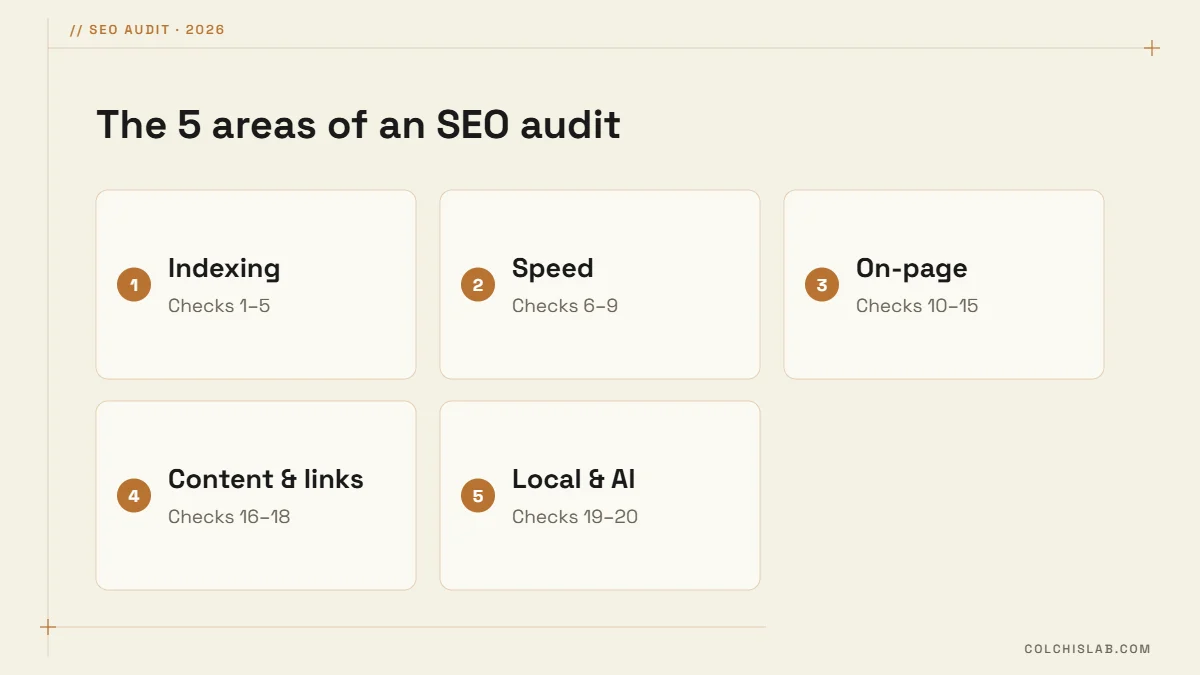
The audit covers five areas. Work through them in order: there is no point polishing titles on pages Google has not indexed yet.
Indexing and Crawling: Checks 1–5
- Check 1: Search site:yourdomain.com in Google. The rough count of results should be close to the number of pages you want found. Far fewer means indexing problems; far more usually means duplicate or junk URLs such as tags, filters and test pages.
- Check 2: Open the Pages report in Search Console. Read the reasons pages are not indexed. “Crawled – currently not indexed” on important pages usually signals thin or duplicate content; “Excluded by noindex” on a key page is a settings mistake.
- Check 3: Read your robots.txt at yourdomain.com/robots.txt. It must not block pages, CSS or JavaScript. A leftover “Disallow: /” from a staging site is more common than you would think.
- Check 4: Submit your XML sitemap in Search Console and confirm it shows “Success”. It should list only indexable pages, not redirects or noindex URLs.
- Check 5: Keep one version of the site. http, https, www and non-www should all redirect to a single HTTPS address, and each page should carry a self-referencing canonical tag.
Speed and Core Web Vitals: Checks 6–9
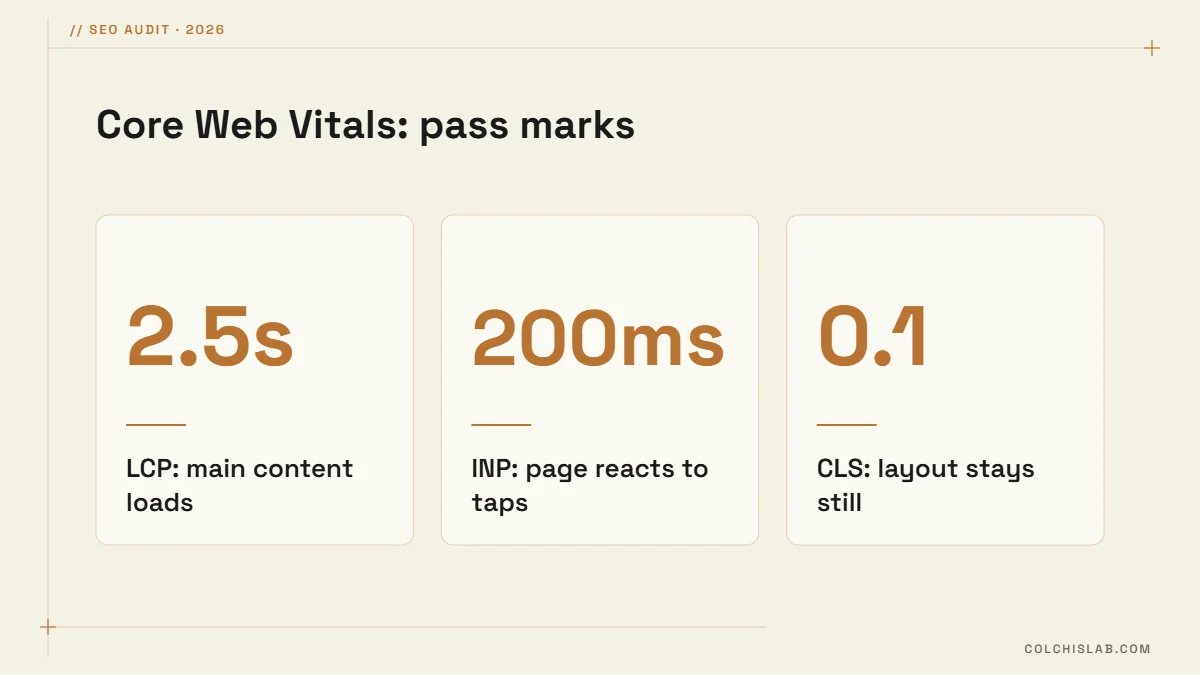
Google measures real-user experience with three Core Web Vitals. A page passes when 75% of visits meet all three thresholds, which are unchanged in 2026: Largest Contentful Paint (LCP) of 2.5 seconds or less, Interaction to Next Paint (INP) of 200 milliseconds or less, and Cumulative Layout Shift (CLS) of 0.1 or less. Google documents them on web.dev.
- Check 6: Test key pages in PageSpeed Insights on mobile. Focus on the real-user (field) data block; the 0–100 lab score is a diagnostic, not a ranking factor.
- Check 7: Fix heavy images. Serve WebP or AVIF, size images to the space they fill, and lazy-load anything below the fold. On most small business sites images are the biggest LCP problem.
- Check 8: Cut plugin and script bloat. Every slider, chat widget and tracking script adds weight. Remove what you do not use and turn on page caching.
- Check 9: Test on a real phone. Text should be readable without zooming, buttons easy to tap, and no pop-up should cover the content on arrival.
On-Page SEO: Checks 10–15
- Check 10: Unique title tags. Every page needs its own title of roughly 50–60 characters with the main search phrase near the start. Screaming Frog lists duplicate and missing titles in seconds.
- Check 11: Meta descriptions. Write a 140–160 character summary for each key page. It is not a ranking factor, but it shapes whether people click.
- Check 12: One H1, then logical H2s. Headings should read like a table of contents for the page.
- Check 13: Image alt text. Describe what the image shows and include the topic where it fits naturally.
- Check 14: Short, readable URLs. /dental-clinic-website-design/ beats /?p=4721 or /page-1-copy-2/. Never change old URLs without 301 redirects.
- Check 15: Structured data. Run your home page, a service page and a blog post through the Rich Results Test. Organization or LocalBusiness, BreadcrumbList, Article and FAQ markup help Google and AI tools understand each page.
Content and Links: Checks 16–18
- Check 16: One page, one intent. Two pages competing for the same query, such as two “web design prices” pages, split your rankings. Merge them or give each a distinct topic. Pages with only a few sentences rarely rank.
- Check 17: Internal links. Every important page should be within three clicks of the home page and receive links from related pages. Pages with no internal links (orphans) are hard for Google to find.
- Check 18: Broken links and redirect chains. Fix internal links that return 404, and point redirects straight to the final URL instead of chaining A → B → C.
Local and AI Search: Checks 19–20
- Check 19: Google Business Profile and NAP. Your name, address and phone should match exactly on the site, the profile and directories. Our Google Business Profile optimization guide covers the profile step by step.
- Check 20: AI visibility. Ask ChatGPT, Gemini and Google’s AI Overviews about your service in your city. If you are missing or described wrongly, the fixes are in our guide to generative engine optimization.
How to Prioritize What Your Free Website SEO Audit Finds
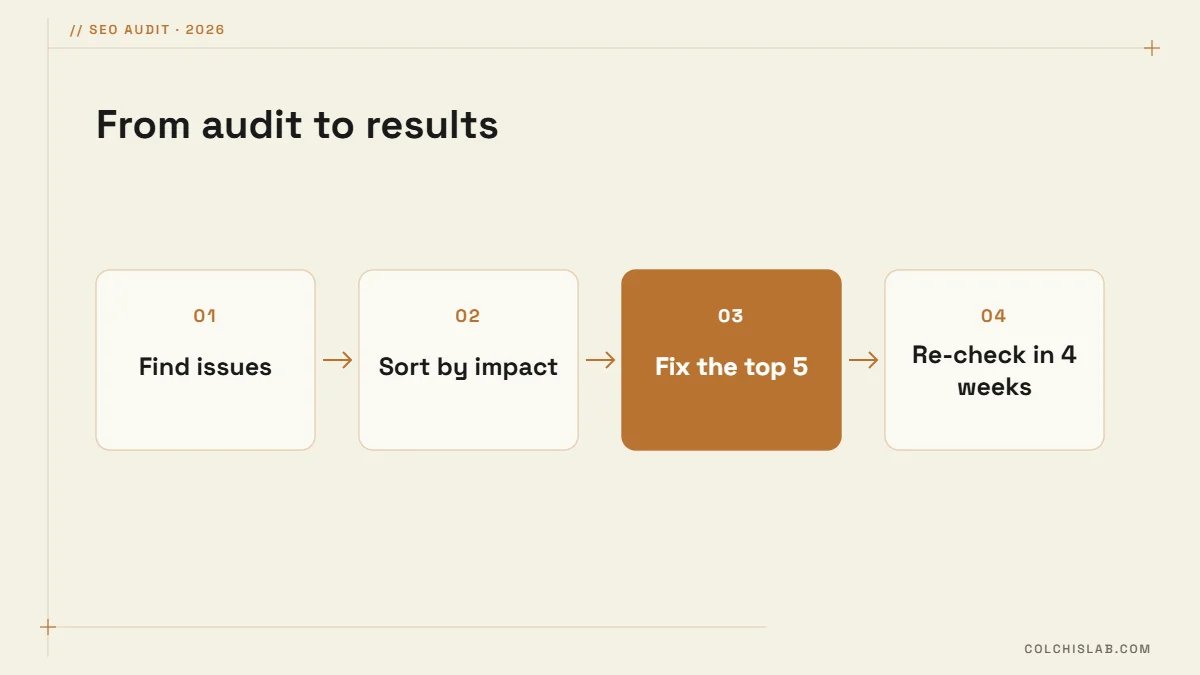
An audit is only useful once it turns into fixes. Sort every issue by impact and effort, then work from the top down:
| Priority | Typical issues | When to fix |
|---|---|---|
| Critical | Key pages not indexed, noindex or robots.txt blocks, site-wide 404s, no HTTPS | Today |
| High | Poor mobile Core Web Vitals, duplicate titles, missing sitemap, broken internal links | This week |
| Medium | Weak meta descriptions, missing alt text, no structured data, thin pages | This month |
| Low | Long URLs on old pages, minor redirect chains | When convenient |
Repeat the free website SEO audit every three months, and after any redesign, migration or big plugin update. Keep Search Console email alerts on so you hear about new indexing or Core Web Vitals problems in between.
If the list is long or the fixes are technical, our SEO optimization service can run the audit, fix the issues and set up monitoring. See our prices or send us your site for a review.
Is a free website SEO audit enough for a small business?
For most sites under a few hundred pages, yes. Google Search Console, PageSpeed Insights and the Rich Results Test reveal the same core problems paid tools find: indexing gaps, slow pages, duplicate titles and broken links. Paid tools add competitor and backlink data, which matter more once the basics are fixed.
How long does an SEO audit take?
A small business site of 10–50 pages takes three to five hours with the 20 checks in this guide. Online stores with filters and thousands of URLs take longer, mostly because sorting duplicate pages takes time. Fixing the issues usually takes longer than finding them.
How often should I audit my website?
Run a full audit every three months and after any redesign, migration, theme change or large plugin update. In between, keep Search Console email alerts on so you hear about new indexing errors, manual actions or Core Web Vitals problems as soon as Google detects them.
What is the most common problem an SEO audit finds?
On small business sites the usual suspects are slow mobile loading caused by oversized images, duplicate or missing title tags, and important pages that are not indexed. Leftover noindex settings or robots.txt blocks from development are also surprisingly common and can hide a whole site from Google.
Do Core Web Vitals affect Google rankings?
Yes, as part of Google’s page experience signals, although relevance and content quality matter more. Passing LCP, INP and CLS rarely lifts a weak page to the top, but failing them can hold back a good one, and slow pages lose visitors and enquiries regardless of rankings.
Can I fix SEO audit issues myself on WordPress?
Many of them. Titles, descriptions, alt text, sitemaps and redirects can be handled with a plugin such as Rank Math, and image compression with an optimization plugin. Server speed, theme code, structured data errors and migrations are usually safer to hand to a developer.