Table of Contents
Website Audit Checklist: How to Check Your Website for Free (8 Checks)
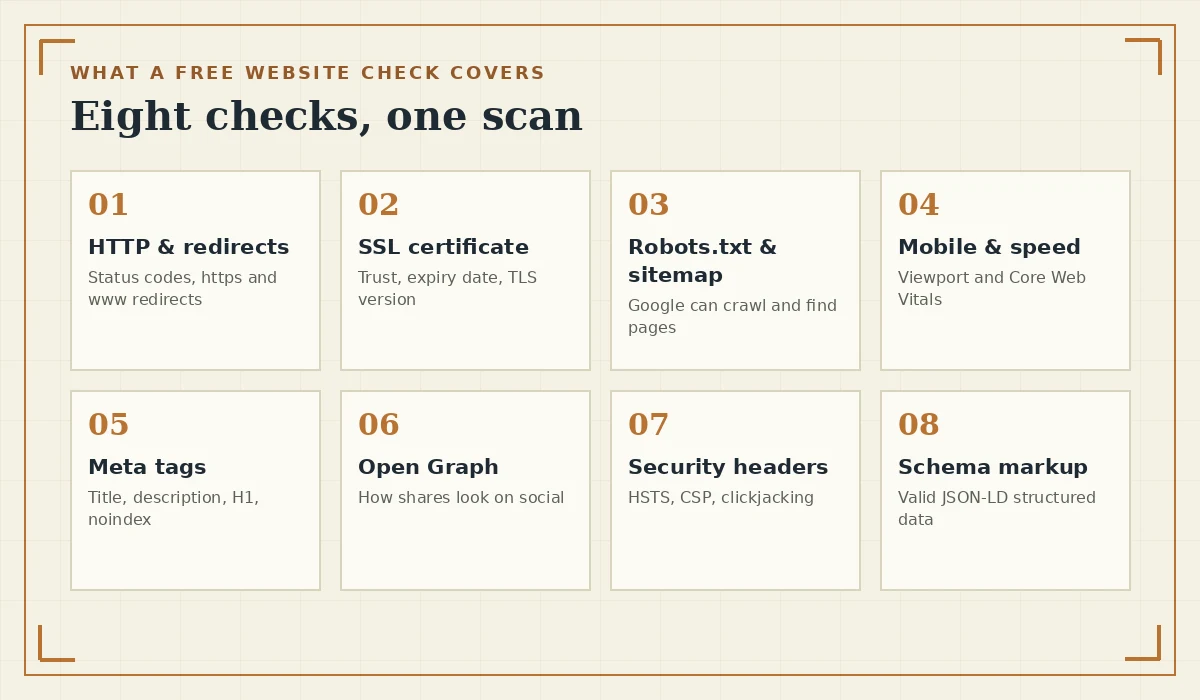
This website audit checklist shows how to check your website for free. Run it through a website checker that tests the eight things Google, browsers and social networks look at first: HTTP status and redirects, the SSL certificate, robots.txt and the sitemap, mobile speed, meta tags, Open Graph tags, security headers and schema markup. A good checker scores each one and tells you how to fix what is wrong, in about a minute.
We built our own free website checker for exactly this, and this guide explains what each check means, how to read the score and which problems to fix first, so you can act on the result instead of just looking at a number.
Table of Contents
Why a Free Website Check Is Worth a Minute
Most website problems are invisible from the outside. A page can look perfect in your browser and still tell Google not to index it, serve an expiring SSL certificate, block crawlers in robots.txt or load so slowly on phones that visitors leave before it finishes. None of these show up until traffic drops.
A quick technical check catches them early. It is not a full SEO audit, but it covers the foundation every other SEO effort depends on: if Google cannot crawl, trust or load the page, content and backlinks cannot help it.
Website Audit Checklist: The 8 Checks That Matter
1. HTTP status and redirects
The page should return 200 OK, http:// should send visitors to https:// with a permanent 301 redirect, and www and non-www should point to one version. Long redirect chains waste time and crawl budget, so every redirect should go straight to the final address.
2. SSL certificate
The certificate must be trusted, cover the exact domain and not be close to expiry. Free certificates such as Let’s Encrypt are short-lived, so a broken auto-renewal can take a site offline with a browser warning overnight. Old TLS 1.0 and 1.1 should be switched off.
3. Robots.txt and XML sitemap
One line, Disallow: /, can hide a whole site from Google. The checker confirms that robots.txt lets search engines in, lists your sitemap, and that the XML sitemap exists and contains URLs. Google explains the rules in its robots.txt introduction.
4. Mobile friendliness and speed
Google ranks the mobile version of your site, so the page needs a proper viewport tag and good Core Web Vitals on phones. The targets from web.dev are LCP under 2.5 seconds, INP under 200 milliseconds and CLS under 0.1.
5. Meta tags
A unique title of about 50–60 characters, a meta description of 120–160 characters, exactly one H1, a canonical tag, a language attribute and alt text on images. The most expensive mistake here is a forgotten noindex left over from development.
6. Open Graph and social previews
When someone shares your link on Facebook, LinkedIn or X, Open Graph tags decide the title, description and image people see. A missing or tiny og:image turns a share into a blank grey box; 1200×630 pixels is the safe size.
7. Security headers
Headers such as Strict-Transport-Security, Content-Security-Policy and X-Frame-Options protect visitors from downgrade attacks, injected scripts and clickjacking. They are quick to add and show that the site is maintained.
8. Schema markup
Structured data in JSON-LD helps Google understand who you are and can unlock rich results such as FAQs and breadcrumbs. One stray comma breaks a whole block, so the checker validates the syntax and lists the schema types it finds.
How to Run the Check
- Open the free website checker.
- Type your domain, for example
example.com, or paste the full URL of a specific page. - Press Check website and wait 10–40 seconds while all eight checks run in parallel.
- Open the red cards first and follow the “How to fix” note under each problem.
- Copy the result link and send it to your developer if someone else manages the site.
How to Read Your Score
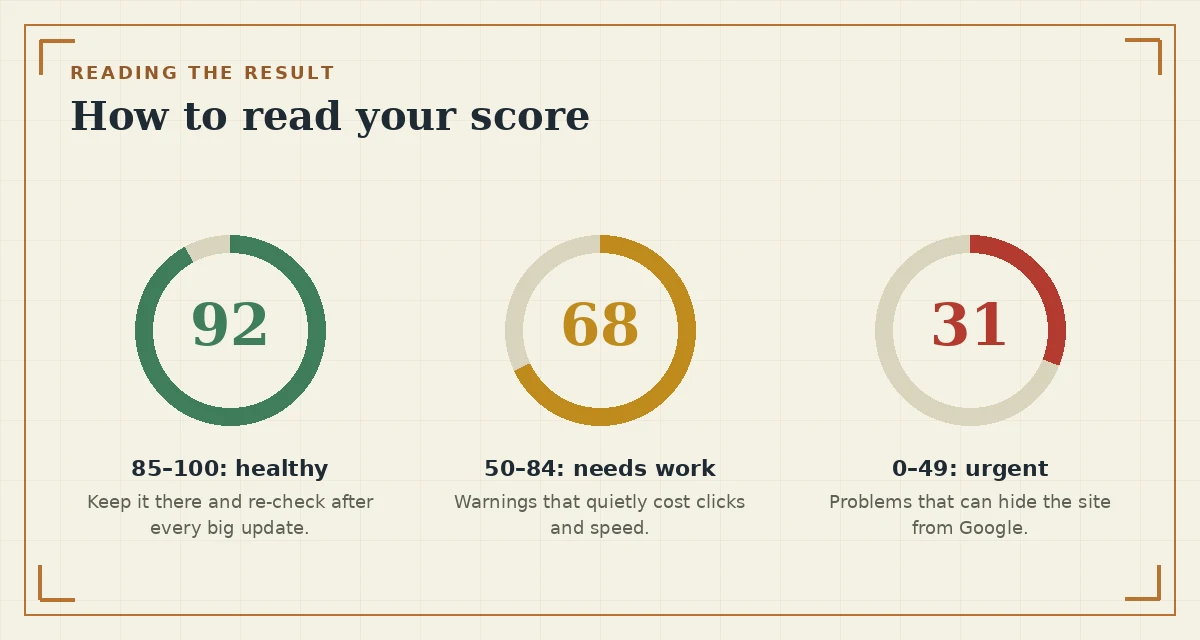
Every check gets a score out of 100, and the overall score is the average of the eight. The colours tell you how urgent each part is:
| Score | Colour | What it means |
|---|---|---|
| 85–100 | Green | Healthy. Re-check after big changes such as a redesign or new plugin. |
| 50–84 | Yellow | Warnings that quietly cost clicks, speed or trust. Plan to fix them. |
| 0–49 | Red | Problems that can stop Google showing the site or scare visitors away. Fix now. |
Not every item weighs the same. A noindex tag or an expired certificate counts far more than a missing Permissions-Policy header, which is why the score is weighted rather than a simple count.
What to Fix First
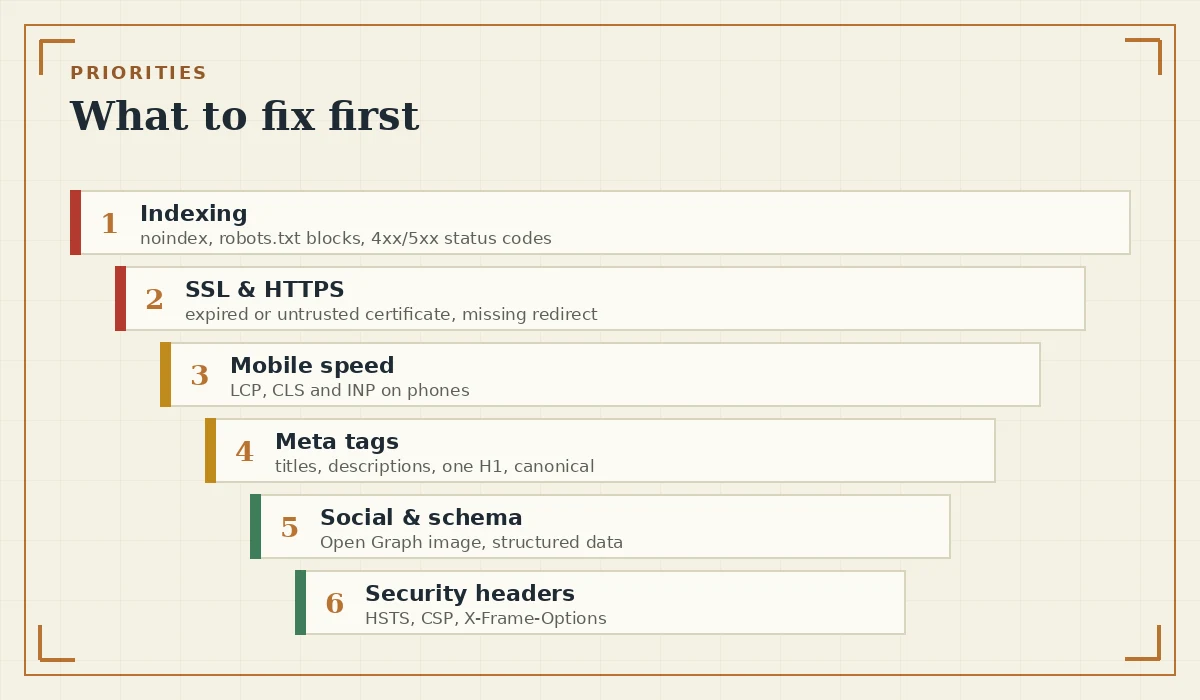
- Indexing: remove stray
noindextags, robots.txt blocks and 4xx/5xx errors. - SSL and HTTPS: renew or replace the certificate and add the http → https redirect.
- Mobile speed: compress images (WebP), lazy-load media, add caching and cut heavy scripts.
- Meta tags: rewrite titles and descriptions, keep one H1, set canonicals.
- Social and schema: add a 1200×630 share image and Organization schema.
- Security headers: add HSTS, CSP and X-Frame-Options.
In WordPress most of this takes minutes with an SEO plugin such as Rank Math or Yoast, a caching plugin, and a few lines in the server or Cloudflare settings.
When a Free Check Is Not Enough
A free check looks at one page. If the score is low across several pages, rankings have dropped, or the site is old and built on many plugins, you need a full technical audit: every URL, internal links, content, keywords and backlinks. That is part of our SEO service, and if the site itself needs rebuilding, our web development team can help.
Want the issues fixed for you? Send us your result and we will reply with a clear fix plan.
How can I check my website for free?
Enter your domain in a free website checker such as the ColchisLab Website Checker. It tests redirects, SSL, robots.txt, sitemap, mobile speed, meta tags, Open Graph, security headers and schema in one scan, with no sign-up.
What is a good website checker score?
85 or more is healthy, 50 to 84 means there are warnings worth fixing, and under 50 points to problems that can stop Google from showing the site.
Is a website checker the same as an SEO audit?
No. A checker tests the technical basics of one page in about a minute. A full SEO audit covers every page, content, keywords and backlinks.
How often should I check my website?
After every major change, such as a redesign, new theme, plugin update or hosting move, and at least once a month to catch expiring certificates and new errors.
Why does my site score low on mobile speed?
Usually large images, too many plugins and render-blocking scripts. Compressing images to WebP, adding caching and removing unused scripts fixes most cases.
Can a free checker hurt my website?
No. It only reads public pages like a normal visitor or search engine does. It does not change anything on the site.